
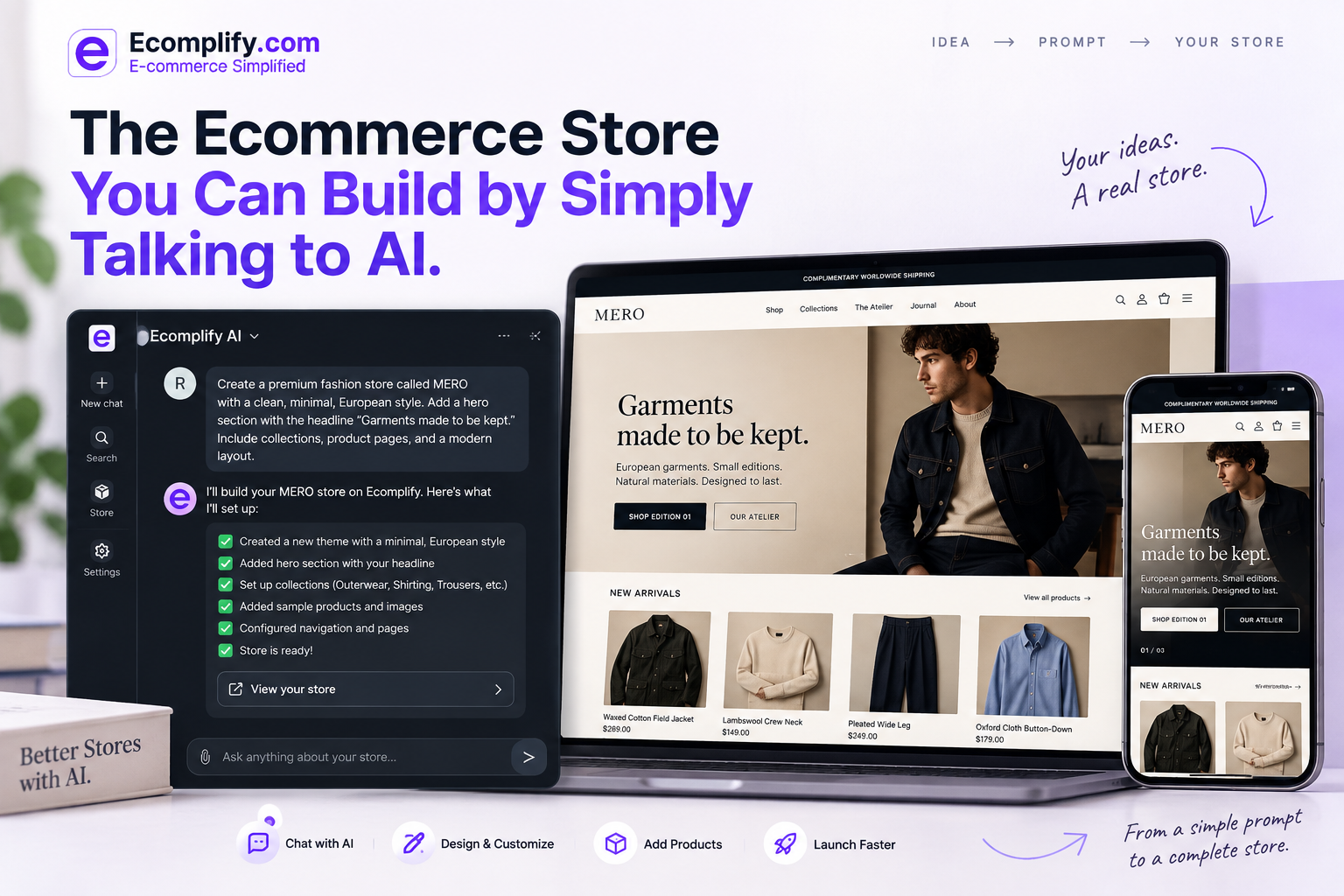
We wanted to build a fashion store that actually felt like a fashion brand, not another theme with a new logo and a few colors swapped in.
So we built MERO: a quiet, European-inspired brand built around natural materials, small editions, and clothes designed to last. Editorial without being complicated, premium without being loud, consistent from the homepage down to the product page.
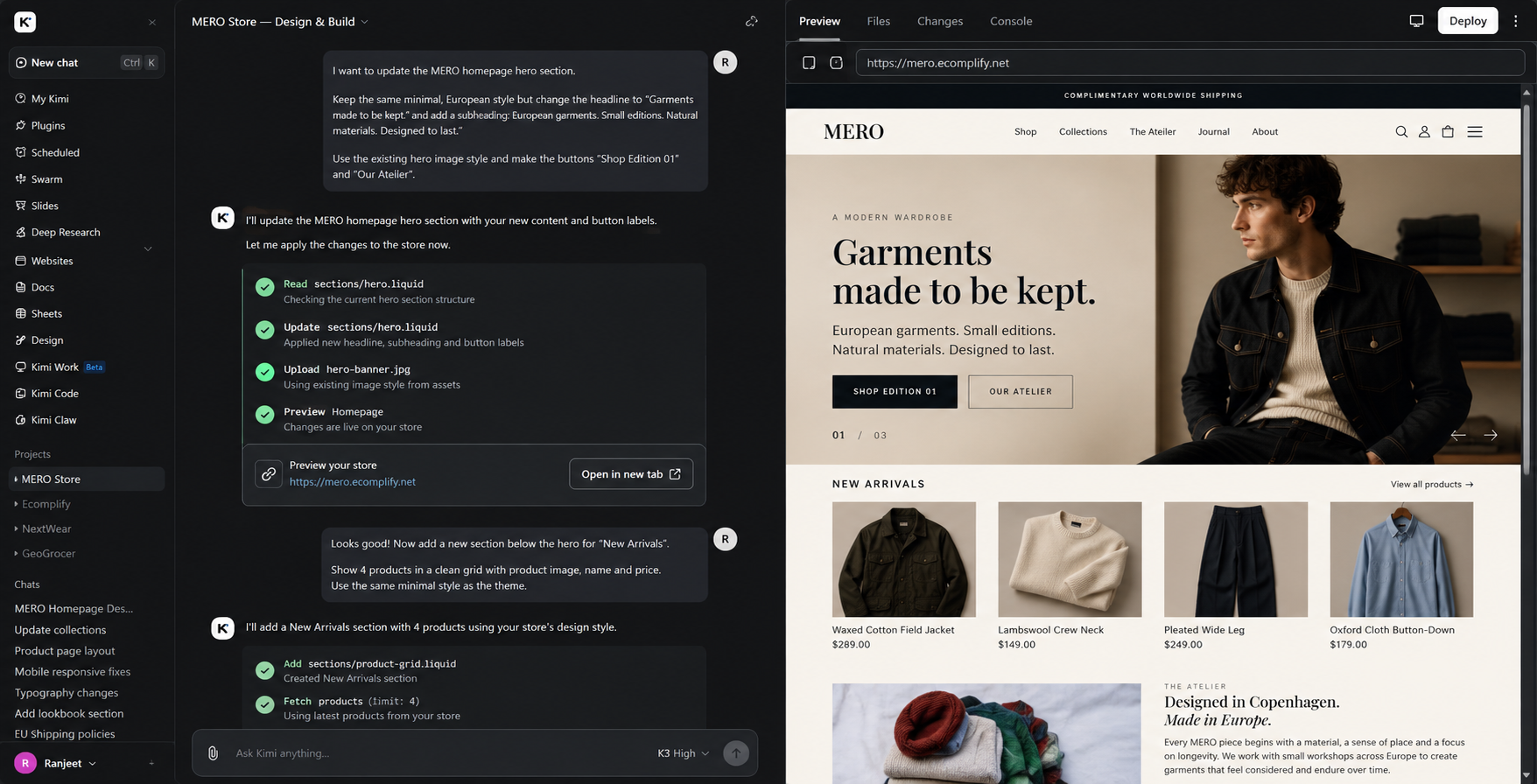
The interesting part is how we built it. We used the Ecomplify AI Connector to work on the actual store through AI, describing what we wanted, seeing the changes live, and refining until the design felt right. No separate mockup to rebuild later. We were working on the store itself.
Starting with a brand direction
We did not begin with a long technical specification.
We started with the direction we wanted for MERO.
The store needed to feel refined, editorial, understated, and premium. The photography needed space. The typography needed to feel distinctive. The colors needed to stay warm and restrained. The product presentation needed to feel considered rather than like a standard ecommerce grid.
From that direction, we started building the actual store.
This is where the AI Connector became useful.
Connecting AI to the actual store
The Ecomplify AI Connector connects an Ecomplify store with AI tools such as Claude Code, Cursor, ChatGPT, and Kimi, or any REST-capable AI tool.
Instead of using AI only for suggestions, copy, or code snippets, the connected AI can work with supported parts of the actual store through the Ecomplify API. That includes a full section catalog (73 section types plus 59 universal design controls covering things like gradients, overlays, animations, spacing, and responsive overrides), along with products, collections, blogs, policies, images, SEO settings, theme configuration, and page layouts.
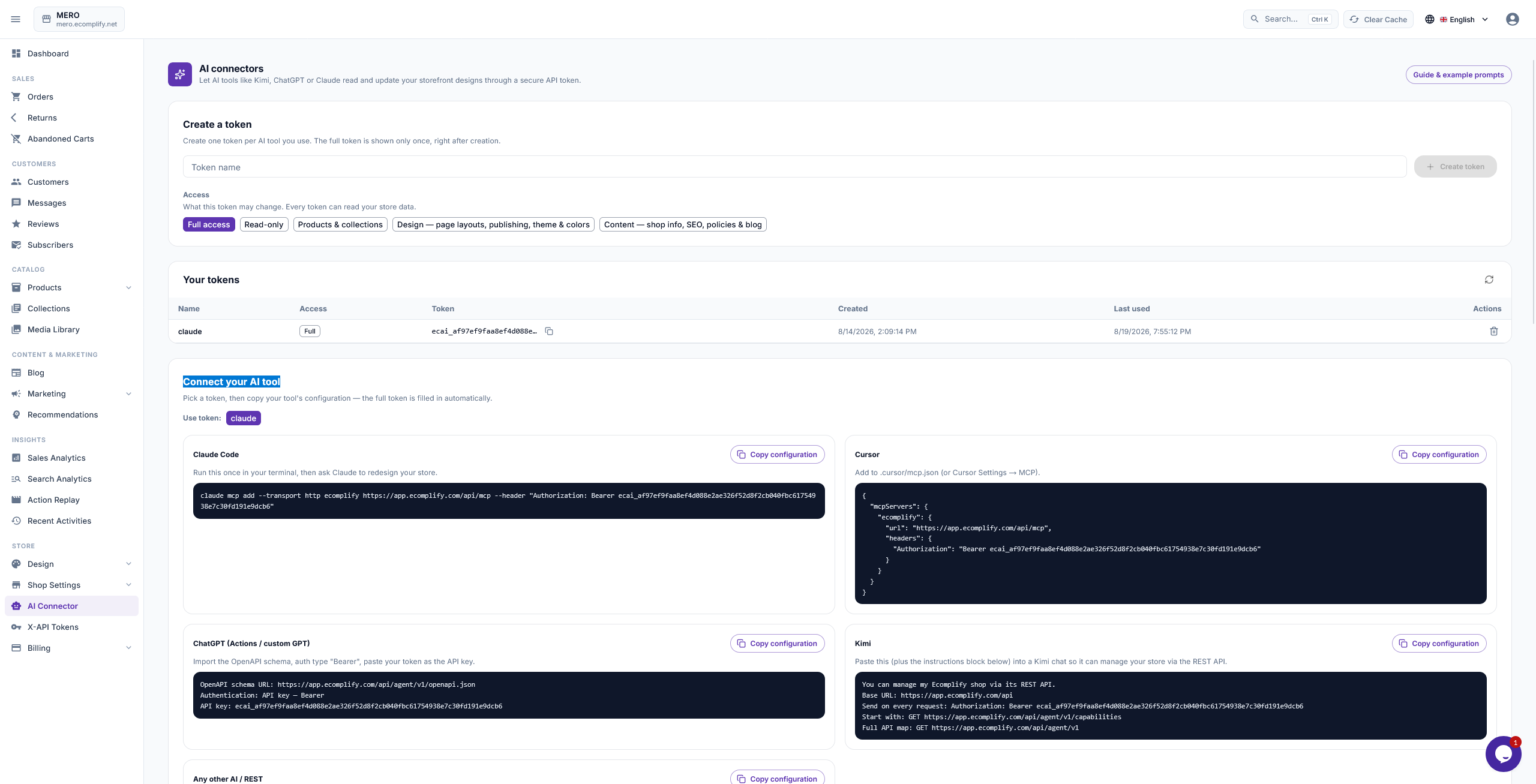
Depending on the scope given to the connection (Full access, Read-only, or combinable write scopes for Products & collections, Design & layouts, and Shop info & policies), the AI only gets exactly the access the store owner grants it. Tokens are capped at five per shop and can be revoked instantly.
That changes the workflow quite a bit.
You can describe what you want to change instead of first figuring out which setting, component, or technical operation you need to use.
What the AI Connector can actually do
Before we walk through how MERO came together, it's worth laying out the full range of what a connected AI can touch, because this is what made the rest of the build possible.
| Area | What the AI can do |
|---|---|
| Design | Read the full section catalog (73 section types + 59 universal design controls), edit any page layout, batch-edit with atomic operations, and publish straight to the live store |
| Products | List, create, update, and delete products; manage collections |
| Photos | Upload images to the Media Library and attach them to products, collections, blogs, or page sections |
| Blogs | Write, update, and delete blog posts (this post included, in part) |
| Shop | Update settings, SEO, policies, theme selection, and shop-wide design tokens like colors, fonts, and buttons |
A few things make this more than "AI that writes code for your store":
- It works against a real, validated API. Every write goes through the same rules the dashboard enforces: an AI can never bypass business logic, and layout edits are checked against the real section catalog before they're accepted.
- Drafts come before publishing. Layout changes are saved as drafts first, visible in the Theme Editor preview. Publishing is a separate, deliberate step: the same snapshot-and-promote flow behind the editor's own Publish button, with full version history if you ever need to roll back.
- Access is scoped and revocable. A token only carries the permissions you hand it, no shop ID ever appears in a URL, and you can cut off access instantly from the dashboard.
- Nothing happens invisibly. Every AI write shows up in the store's Activity feed, so there's always a record of what changed and when.
- It connects however you already work. REST endpoints, an OpenAPI 3.1 spec for tools like ChatGPT Actions, or a direct MCP endpoint for Claude Code and Cursor. Point your tool at the store and it discovers the rest (sections, controls, your catalog) on its own.
In practice, this is what let us treat MERO's storefront the same way we'd treat any other build: describe the brand and the structure, let the AI work in drafts, review, iterate, and publish only when it was actually ready.
Building the first version of MERO
We started shaping the storefront around the MERO brand direction.
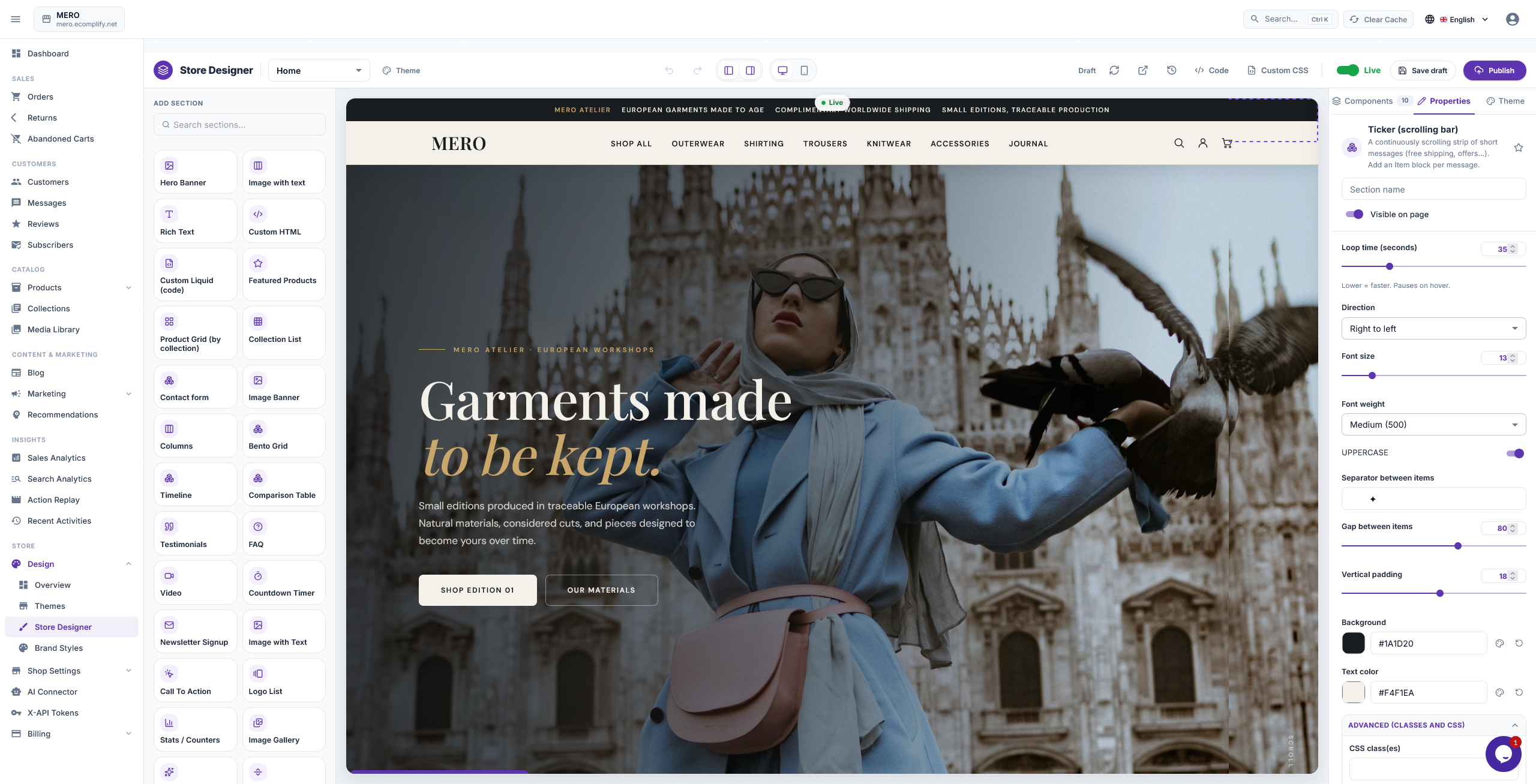
The homepage became the foundation.
The hero introduces the brand with:
Garments made to be kept.
From there, the page moves through New Arrivals, the brand story, Shop by Category, Edition 01, The Lookbook, supporting brand details, newsletter signup, and the final brand story section.
The goal was to make the homepage feel like a complete fashion brand experience rather than a collection of unrelated ecommerce sections.
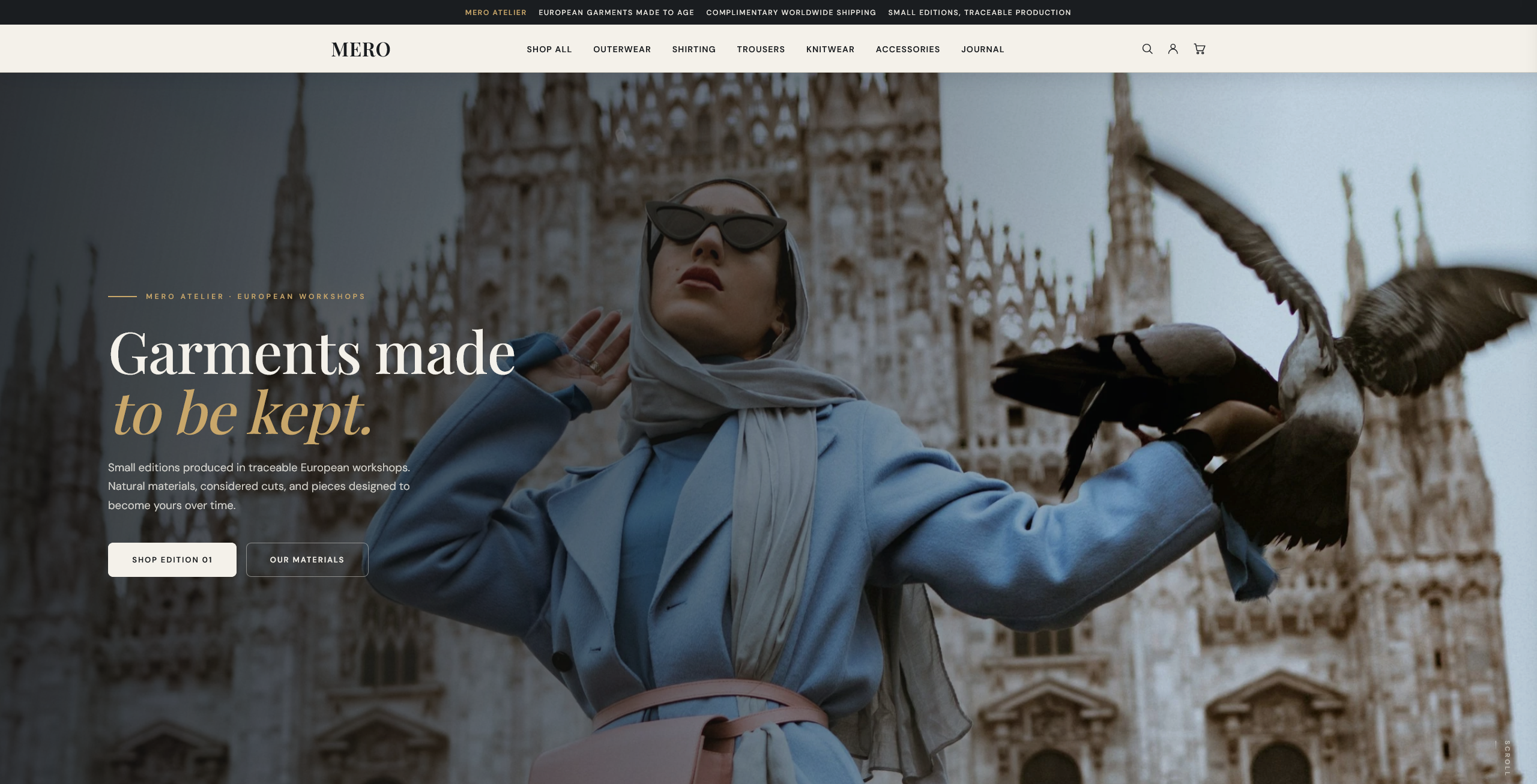
The AI Connector made it possible to work on the actual page layout and theme rather than creating a separate mockup that would later need to be rebuilt.
Customizing the store without stopping at the first version
The first version was not the final version.
We changed things.
We adjusted section spacing. We changed image treatments. We refined typography. We moved content around. We changed the way products were presented. We worked through the desktop and mobile layouts.
And we kept going.
This is one of the biggest differences in the workflow.
There is no need to treat every design change as a new project. You can continue describing what you want, review the result, and refine it again. The AI applies changes as atomic operations, so asking to swap two sections or darken a hero image doesn't touch anything else on the page.
The point is not that AI gets everything right on the first prompt.
It does not.
The point is that you can keep iterating until the storefront matches the direction you want.
Building the collections
MERO needed a proper collection experience beyond the homepage.
We built a collections page around the wardrobe, with categories including:
- Outerwear
- Shirting
- Trousers
- Knitwear
- Accessories
- Featured
- Edition 01
Each collection uses its own imagery and presentation while staying within the same visual system.
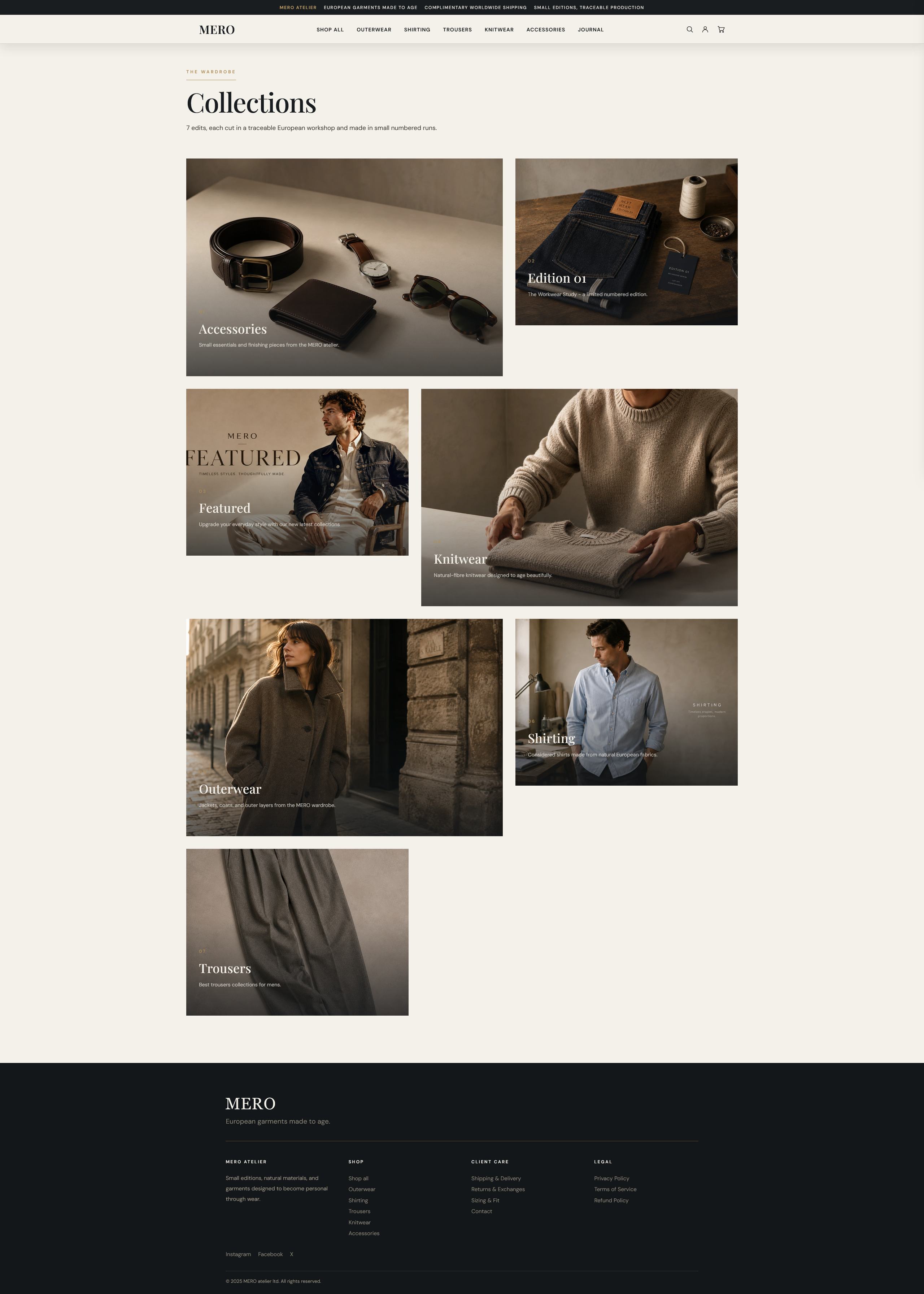
This is an important part of the build because a real store needs a structure that customers can actually browse.
Building Edition 01
One of the main ideas behind MERO is the use of small numbered editions.
Edition 01 is presented as The Workwear Study.
It brings together products such as the Lot 47 Chore Coat, Selvedge Denim Trucker, and Type-3 Denim Jacket.
The collection has its own page, imagery, supporting content, and product presentation.
The same idea also appears on the homepage, creating a connection between the store's merchandising and its visual storytelling.
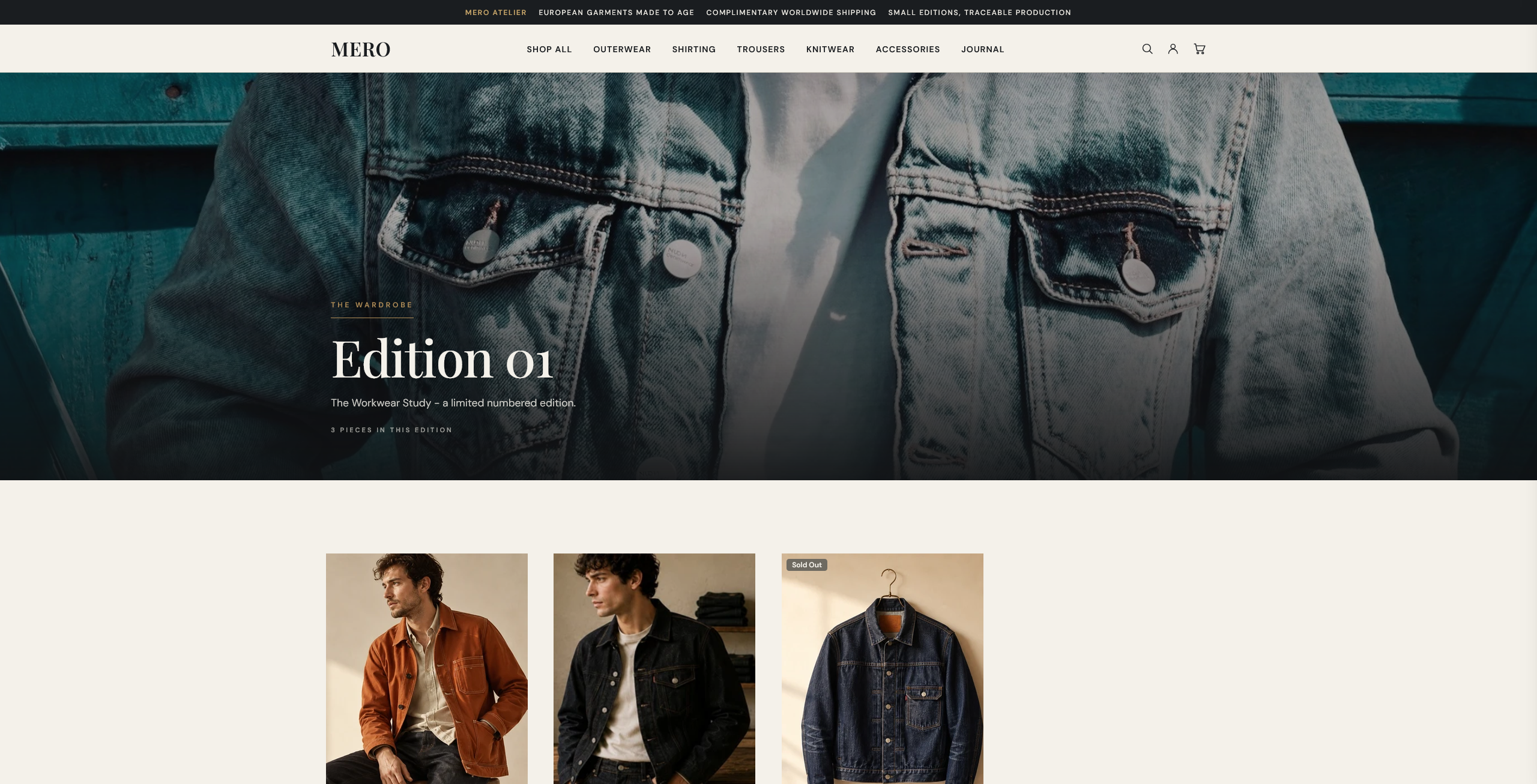
This is where we started thinking beyond individual sections.
The goal was to build a system where the homepage, collections, products, and content all supported the same brand.
Product pages that feel like part of the store
The product experience was another major part of the build.
Take the Lot 47 Chore Coat.
The product page includes the main product image, pricing, availability, quantity controls, purchase actions, product highlights, description, specifications, and additional product information.
Further down, the page includes information about checkout, returns, production, and repairs.
There is also a product information area covering details such as the product reference, availability, origin, and aftercare.
The page finishes with a Complete the look section featuring related products.
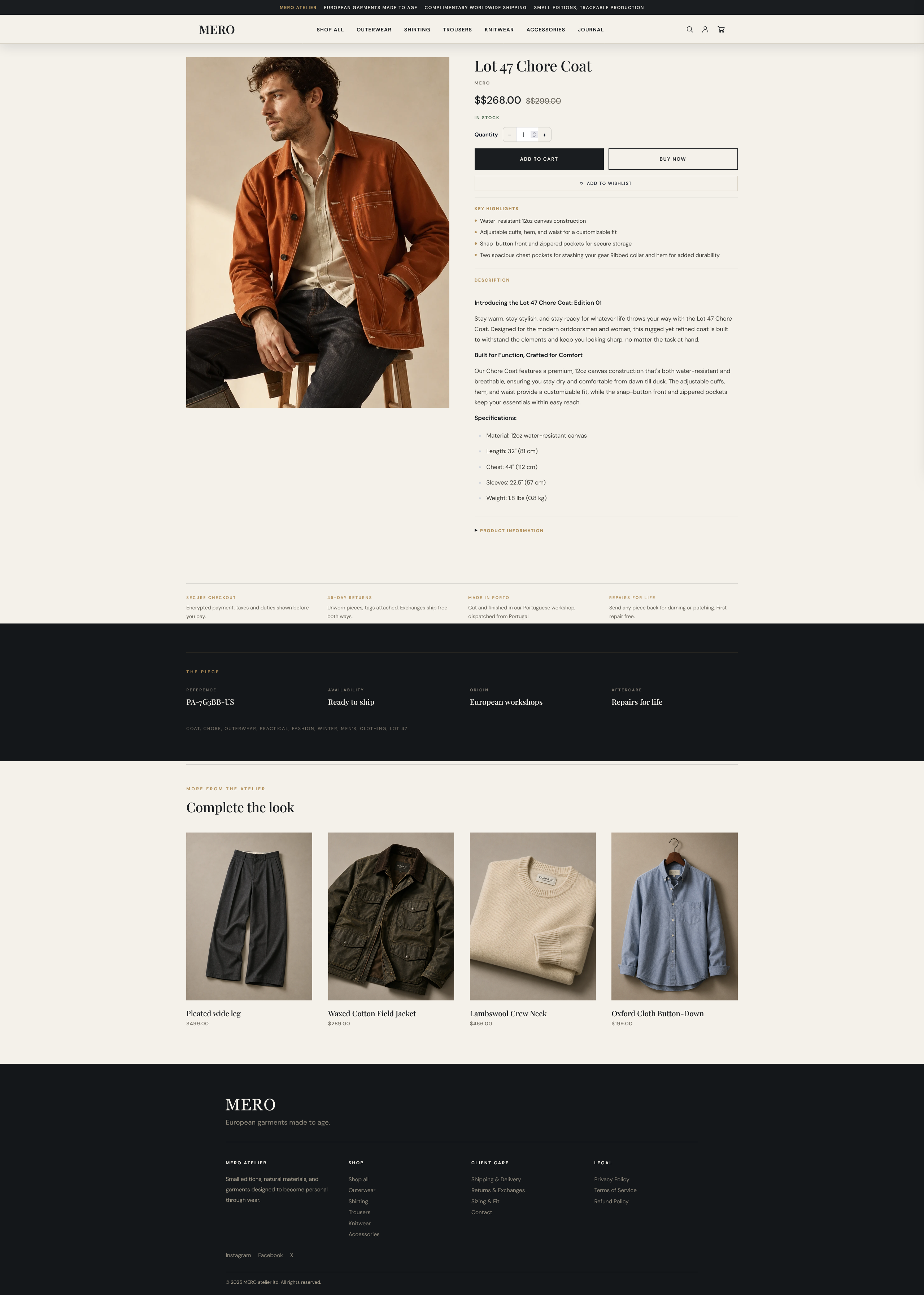
The product page is designed to give the product context rather than treating it as just an image, title, price, and Add to Cart button.
The catalog is part of the same workflow
The AI Connector is not only useful for design.
A real store also has a catalog to manage.
Products need to be created and updated. Collections need to be organized. Product content needs to stay consistent. Images need to be managed. SEO information needs to be maintained.
The Ecomplify AI Connector exposes these store operations (creating, updating, and deleting products, managing collections, uploading and attaching photos) through the same connection, with every write validated against the same rules the dashboard itself enforces.
That means the AI can work with the store's content and catalog as part of the same workflow used for the storefront.
You do not have to think about the store as one tool for design and another completely separate system for everything else.
Working with content, policies, and SEO
The same connection can also work with supported content resources.
That includes blog content, store policies, images, and shop SEO settings.
For example, you can use the AI to help prepare product content, organize collections, work on blog content, update supported policies, or make SEO changes.
This is where the idea of an AI-connected store becomes more useful than an AI design generator.
The AI is not only helping create what the customer sees.
It can also work with the underlying store content that powers those pages.
Designing MERO for mobile
One of the things we wanted to show with MERO is that the AI Connector is not limited to desktop storefront customization.
You can design the mobile experience as part of the store itself.
For MERO, the mobile storefront was treated as its own layout rather than simply shrinking the desktop version. The navigation, hero, product grids, collection sections, spacing, typography, and footer were all adapted for smaller screens.
The result is a mobile experience that keeps the same brand identity while being designed around how the store actually works on a phone.

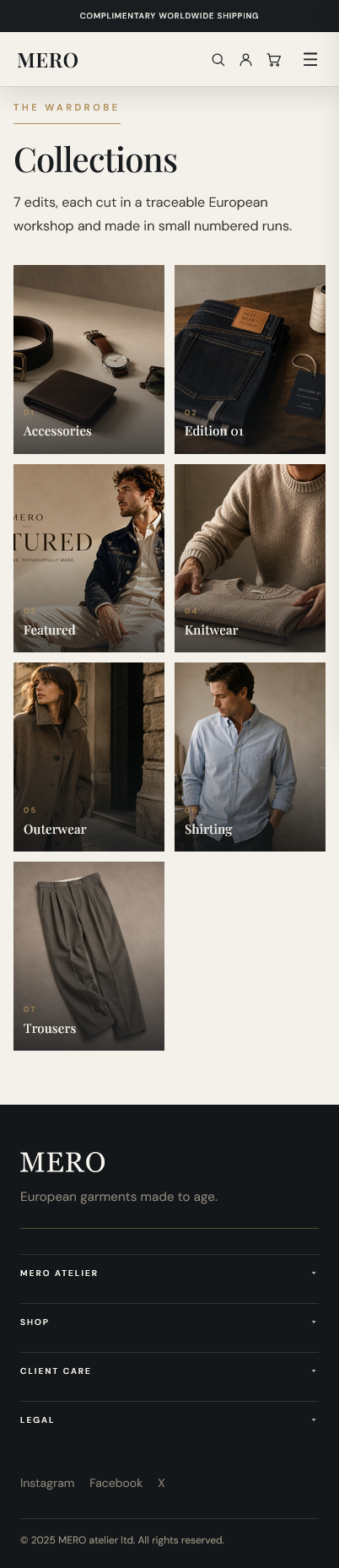

This is another area where the conversational workflow is useful.
You can look at the mobile store, identify what needs to change, describe it, and keep refining the layout without rebuilding the experience from scratch.
The account experience
We also carried the same design language into the customer account experience.
The sign-in page uses a split layout with an editorial image on one side and the account form on the other.
On smaller screens, the layout adapts to the available space.
It is a smaller part of the store, but it contributes to the same goal: every important customer-facing page should feel like it belongs to the same brand.
From design changes to running the store
This is where the AI Connector becomes more than a customization feature.
Once the storefront is built, the store still needs to be managed.
New products need to be added.
Collections change.
Images change.
Promotional content needs to be updated.
Blog posts need to be published.
Policies may need to change.
SEO needs ongoing attention.
The AI Connector gives you a way to work with supported parts of those operations through the same AI tools you already use.
You can move from:
Make the collection page more editorial.
to:
Add these products to the new collection and update the collection content.
And then to:
Update the supporting promotional content for the new launch.
The workflow stays connected to the store.
Promotions and merchandising
The same approach can be used when the store needs to communicate a new offer or campaign.
Instead of creating the promotion as a completely separate design task, you can use the connected AI workflow to work on the supported product, collection, content, image, and storefront elements around the promotion.
That could mean updating a campaign section, creating promotional copy, changing a collection presentation, preparing supporting content, or adjusting the relevant storefront layout.
The important part is that the promotion can be treated as part of the store rather than as a separate piece of marketing work.
The important part: iteration
One of the biggest differences we noticed while building MERO was how much easier it became to keep refining the store.
Traditional customization often creates friction.
A change becomes a request.
The request becomes a design task.
The design becomes an implementation task.
Then you review it and start the process again.
With the AI Connector, you can make the request directly against the connected store.
You can say:
Make the hero image feel less dark.
Then:
Give the headline more space.
Then:
Make the product grid more compact on mobile.
Then:
Move the edition section higher on the page.
You can keep refining instead of worrying about how many rounds of revisions the process can support.
There is no artificial design iteration counter getting in the way of the process.
If something does not look right, change it.
If the second version is not right, change it again.
That is how we built MERO.
The safety layer behind the workflow
Giving an AI access to a real store also requires clear boundaries.
The Ecomplify AI Connector uses scoped tokens so access can be limited to the capabilities provided to that connection: Full access, Read-only, or a combination of Products & collections, Design & layouts, and Shop info & policies. Tokens are capped at five per shop, never expose a shop ID in any URL, and can be revoked instantly from the dashboard.
The API also separates design access from content access.
For layout work, changes are saved as drafts first. A layout does not become live simply because an AI made an edit.
Publishing is a separate operation: the same snapshot-and-promote flow behind the editor's own Publish button, with full version history so you can roll back with one click.
Every AI write also appears in the store's Activity feed, so there is always a record of what changed and when.
For a real ecommerce store, that distinction matters.
What we actually built
By the end of the process, MERO had become a complete storefront rather than a homepage concept.
It includes:
- A custom homepage
- Dedicated collection pages
- Edition 01
- Product detail pages
- A complete product archive
- Customer account experience
- Responsive desktop and mobile layouts
- Navigation and supporting content
- Product and collection organization
- Store policies and supporting content
- A consistent visual system across the store
And the Ecomplify AI Connector was part of the workflow used to build and refine it.
This is different from generating a website
There are plenty of AI tools that can generate a page from a prompt.
That is not what we wanted to build.
An ecommerce store has a system underneath the interface.
Products have data.
Collections have relationships.
Pages have layouts.
Themes have design systems.
Images have to be managed.
Content has to be updated.
SEO has to be maintained.
The storefront needs to keep working after the initial build.
The Ecomplify AI Connector is designed around that reality.
Instead of generating a design and leaving the implementation to someone else, it gives AI a scoped way to work with the actual store.
MERO is the result
MERO is a real storefront built on Ecomplify.
We started with a brand direction, built the storefront, created its structure, worked through the catalog and content, refined the design, checked the responsive experience, and kept iterating until the result matched what we wanted.
The important thing is not that everything happened from one prompt.
It did not.
The important thing is that the distance between an idea and a working change became much smaller.
That is what we built the Ecomplify AI Connector to do.
What this means for store owners
The way people build ecommerce stores is changing.
You can still work with designers and developers. You can still customize things manually.
But there is now another layer between your idea and the implementation.
You can describe the result you want in normal language and use AI to work with the actual store.
That can apply to design.
It can apply to products.
It can apply to collections.
It can apply to content.
It can apply to images and SEO.
It can apply to the ongoing work of running the storefront.
MERO is our example of what that workflow looks like in practice.
See MERO for yourself
The easiest way to understand the build is to explore the actual store.
Look through the homepage, collections, Edition 01, product pages, archive, and mobile experience.
MERO is not a concept created for a presentation.
It is the storefront we built using the Ecomplify AI Connector.
Try the Ecomplify AI Connector
Connect your Ecomplify store with supported AI tools and start working with your storefront through natural language.
Build the first version.
Refine it.
Work with your catalog.
Update your content.
Keep improving the store as your business changes.
Last updated October 6, 2026