
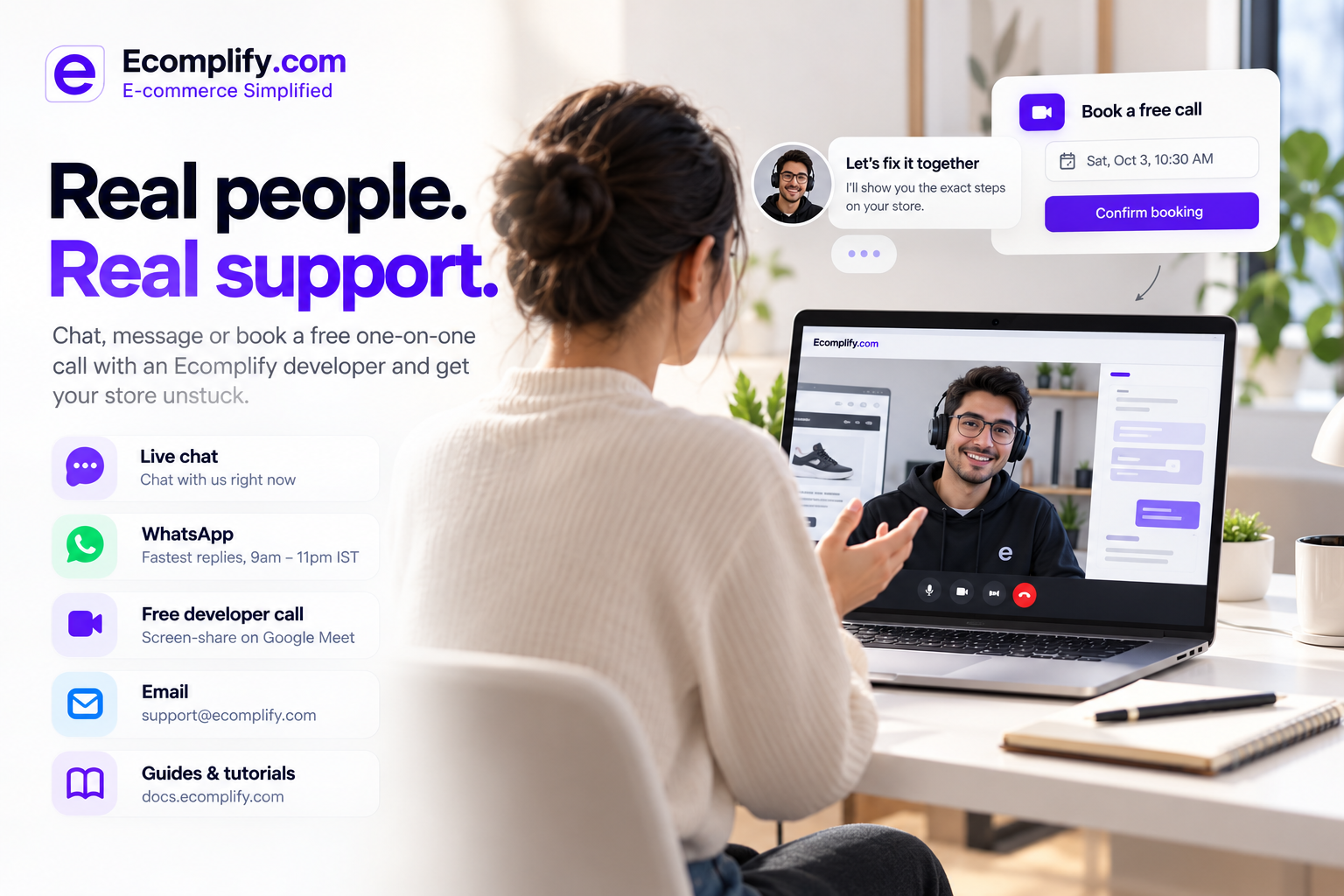
We built two things to make that moment shorter: a new Support hub and Connect with a Developer, a way to book a free one-on-one video call with an Ecomplify engineer. Both live inside your dashboard, and both work even if you haven't finished setting up your store yet.
One Place for Every Kind of Help
Open Support from the menu or the help button at the top of your dashboard, and you'll see every way to reach us on a single screen:
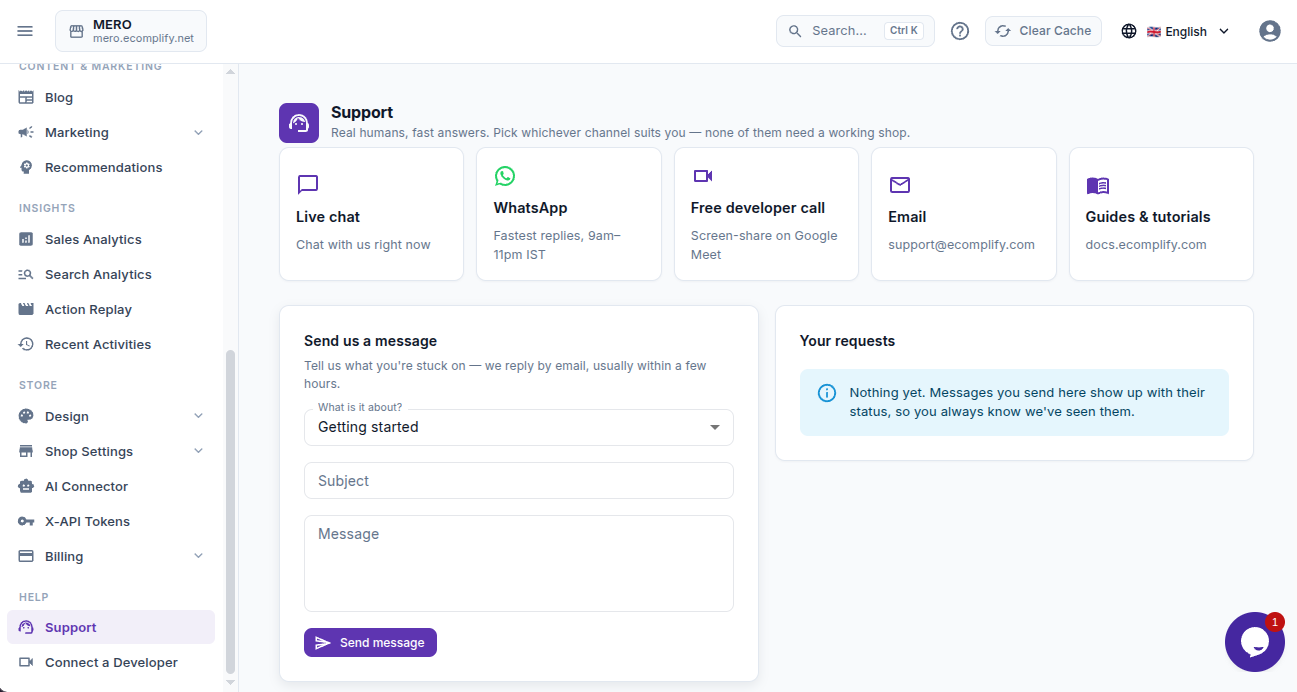
- Live chat for quick questions while you work
- WhatsApp if you'd rather message from your phone, with your store details already filled in so you don't have to explain who you are
- Email, for when you want a written trail
- Guides and tutorials for the self-serve crowd
- A free developer call, more on that below
If you prefer to write things down properly, the support form lets you choose what the issue is about (getting started, store design, products, orders and payments, domains, billing, or "something is broken") and describe it in your own words. Every request you send appears in Your requests with its status, and when we reply, the answer shows up right there next to your message. No digging through your inbox, no wondering whether anyone saw it.
Support works even without a store selected. The people who need help the most are often the ones who haven't gotten past setup yet, and it made no sense to lock them out of the very page meant to help them.
Some Problems Are Faster to Show Than to Explain
Text is great for "how do I change my logo?" It's terrible for "the layout breaks on my product page, but only after I add a second variant, and only on mobile." By the time you've typed it out, taken five screenshots and waited for a reply, half a day is gone.
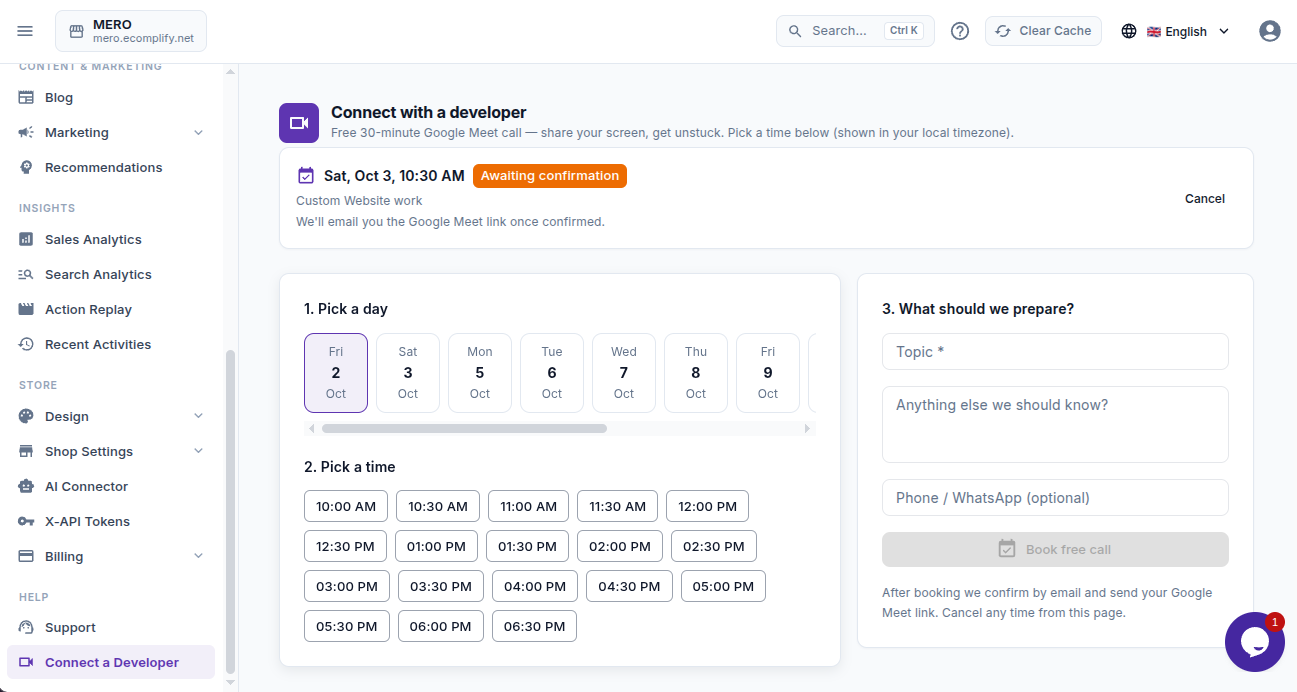
That's why we added Connect with a Developer. It's a free 30-minute Google Meet call with someone who works on Ecomplify every day. You share your screen, show us what's going on, and we work through it together, live.
How Booking Works
- Pick a day. You'll see the days that have open times.
- Pick a time. Every slot is shown in your local time zone, so there's no mental math.
- Tell us what to prepare. A short topic is all we need, like "my storefront design is broken." Add extra notes or a phone number if you like.
- Book. Your call appears at the top of the page as Awaiting confirmation.
Once a developer confirms, the status changes to Confirmed and a Join Google Meet button appears on the page. The same link lands in your email. If your plans change, cancel with one click and the time opens up again for someone else. Past calls stay listed below, so you always have a record of what you discussed and when.
Behind the scenes, two people can never end up booked into the same slot. If someone grabs a time a second before you do, you'll simply be asked to pick another one.
What People Use These Calls For
We expected mostly "how do I" questions. What we actually see is much more interesting:
- Launch checks "We go live tomorrow, can you look over everything with me?"
- Design help getting a homepage section, product page or custom layout to look right on every screen size.
- Domains and email setup always simpler when someone walks you through it.
- Payments and shipping from connecting a gateway to understanding why a rate isn't showing at checkout.
- Moving from another platform figuring out how products, collections and pages should map over.
You don't need a perfectly phrased question. "Something feels off and I don't know where to start" is a perfectly good reason to book.
What It Costs
Nothing. Support and developer calls are included with every Ecomplify account. No add-on, no "priority support" upsell. We'd much rather spend thirty minutes helping you launch than have you give up on a problem we could have solved together.
Tips to Get the Most Out of Your Call
- Be specific in the topic. "Checkout button missing on mobile" lets us come prepared; "help" means we start from zero.
- Have the page open before the call. Screen sharing goes much faster when you can jump straight to the problem.
- Bring your list. If there are three small things bothering you, mention all of them. Thirty minutes goes further than you'd think.
- Try chat first for quick questions. It's the fastest way to get a one-line answer. Save the call for things that are easier to show.
Help That Feels Like It Comes From People
Software support has drifted toward chatbots and endless article links. Those have their place, and we use them too. But when you're building something you care about, sometimes you just want to talk to the person who actually understands how it works.
That's the idea behind both of these features. Open Support or Connect with a Developer from your dashboard menu, and let's get your store where you want it to be.