
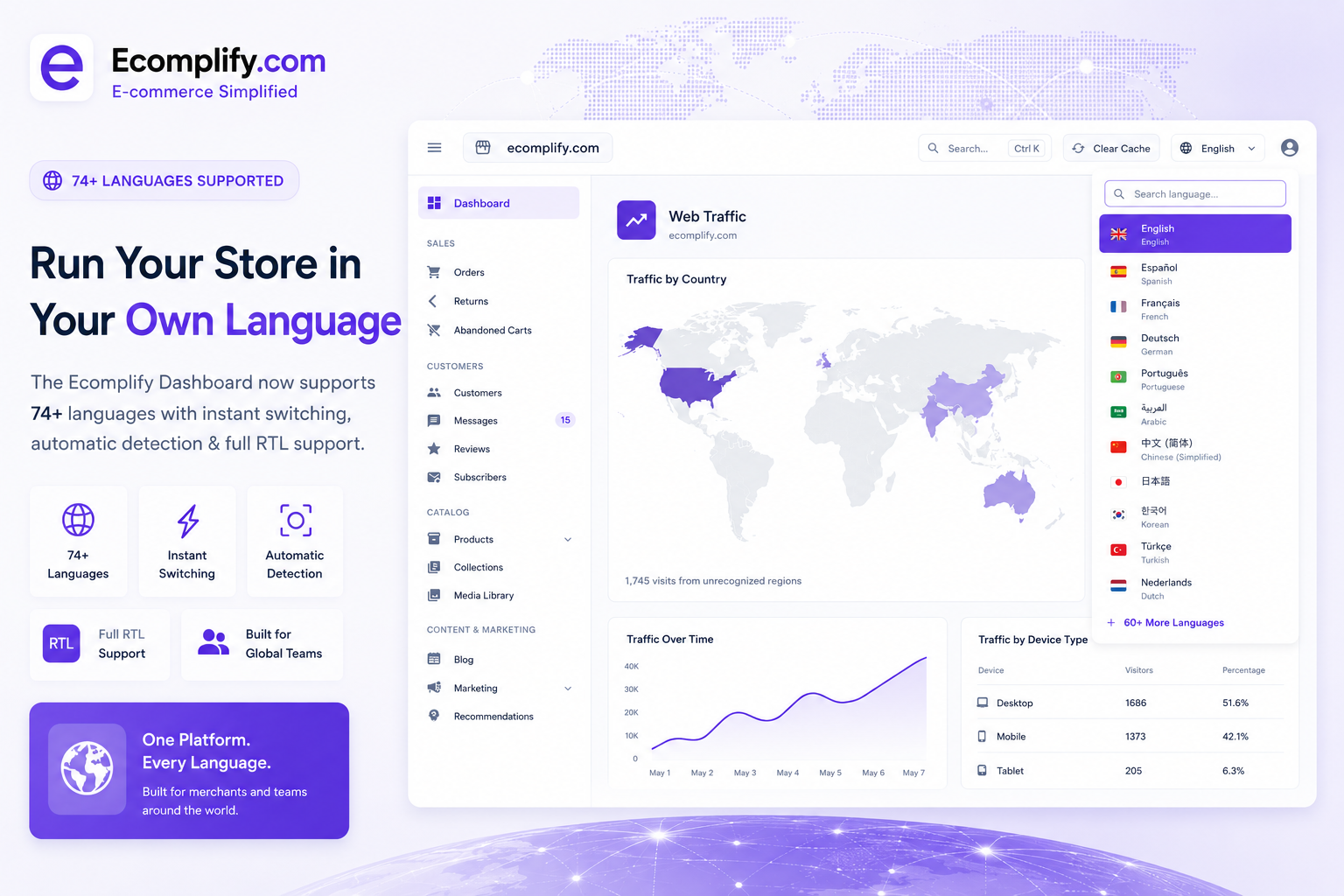
Commerce is global. The teams behind it are too. Today we are excited to announce that the Ecomplify dashboard is now available in more than 74
languages, making it one of the most deeply localized commerce platforms anywhere.
From Berlin to Melbourne, from São Paulo to Seoul, merchants can now run products, orders, shipping, marketing, and analytics in the language they think in. No plugins, no
add-ons, no extra cost. It is simply built in.
Why Language Is a Growth Lever, Not a Detail
The research is unambiguous. A landmark study by CSA Research, covering 8,709 consumers across 29
countries, found that 76% of online shoppers prefer to buy products with information in their own language, and 40% will never buy from websites in other languages at all.
Merchants have known this about their storefronts for years. But the same truth applies behind the counter. The people who run stores, process orders, answer customers, and
manage inventory work faster and make fewer mistakes when their tools speak their language.
An operations lead in Warsaw should not need to translate "fulfillment status" in their head a hundred times a day. A designer in Mexico City should not have to guess what a
settings toggle does. With this release, they do not have to.
What's New
Every screen of the Ecomplify dashboard, from product management and order fulfillment to shipping providers, blog publishing, analytics, and store settings, is now fully
translated into more than 74 languages. Highlights:
- 74+ languages and growing. Major world languages, European Union languages, Asia-Pacific languages, Middle Eastern languages, African languages, and regional variants such
as Brazilian Portuguese, Mexican Spanish, and Traditional Chinese. - Instant switching. Change your language from the dashboard and the entire interface updates immediately. No reload, no waiting, no lost work.
- Automatic detection. On your first visit, Ecomplify reads your browser's language preference and greets you in your own language before you touch a single setting.
- Full right-to-left support. Arabic, Hebrew, Persian, and Urdu render with a properly mirrored interface, not a broken left-to-right layout with translated strings pasted
in. - Remembered everywhere. Your language choice is saved and follows you on every visit.
- Included on every account. Localization is a core part of the platform, not a paid extra.
Built for the Way Global Teams Actually Work
Language support in a dashboard is not about translation for its own sake. It changes how teams operate.
Distributed teams, one store. Your fulfillment coordinator in Amsterdam works in Dutch. Your customer support agent in Manila works in Filipino. Your marketing manager in
Lyon works in French. Everyone uses the same store, and each person sees it in the language they are fastest in.
Agencies and multi-store operators. If you manage stores for clients across the United States, the European Union, the United Kingdom, and Australia, you can hand every
client a dashboard that feels native to them from the first login. That is a better handover, a shorter training call, and a more professional impression.
Hiring without a language barrier. When your admin tools work in 74+ languages, you can hire the best person for the role, not the best person who happens to be comfortable
with an English-only interface.
A Glimpse of the Coverage
The list spans the globe: English, Spanish, German, French, Portuguese, Italian, Dutch, Polish, Swedish, Danish, Norwegian, Finnish, Greek, Czech, Romanian, Hungarian, Ukrainian,
Turkish, Arabic, Hebrew, Japanese, Korean, Vietnamese, Thai, Malay, Filipino, Swahili, Yoruba, Zulu, and dozens more, all the way to Icelandic, Welsh, and Maltese.
And this is a living list. New languages are added continuously, so if yours is not there yet, it is likely on the way.
How to Switch Your Language
- Log in to your Ecomplify dashboard.
- Open the language selector in your dashboard settings.
- Pick your language. The interface switches instantly, and your choice is remembered for every future session.
That is the entire process. Three clicks between you and a dashboard in your own language.
Sell Everywhere, Work in Your Language
Global selling should not require working in someone else's language. With 74+ dashboard languages, automatic detection, and full right-to-left support, Ecomplify removes one
more barrier between you and your next market.
Ready to run your store in your own language? Start with Ecomplify today and see your dashboard the way it was always meant to look: in the language you
think in.