
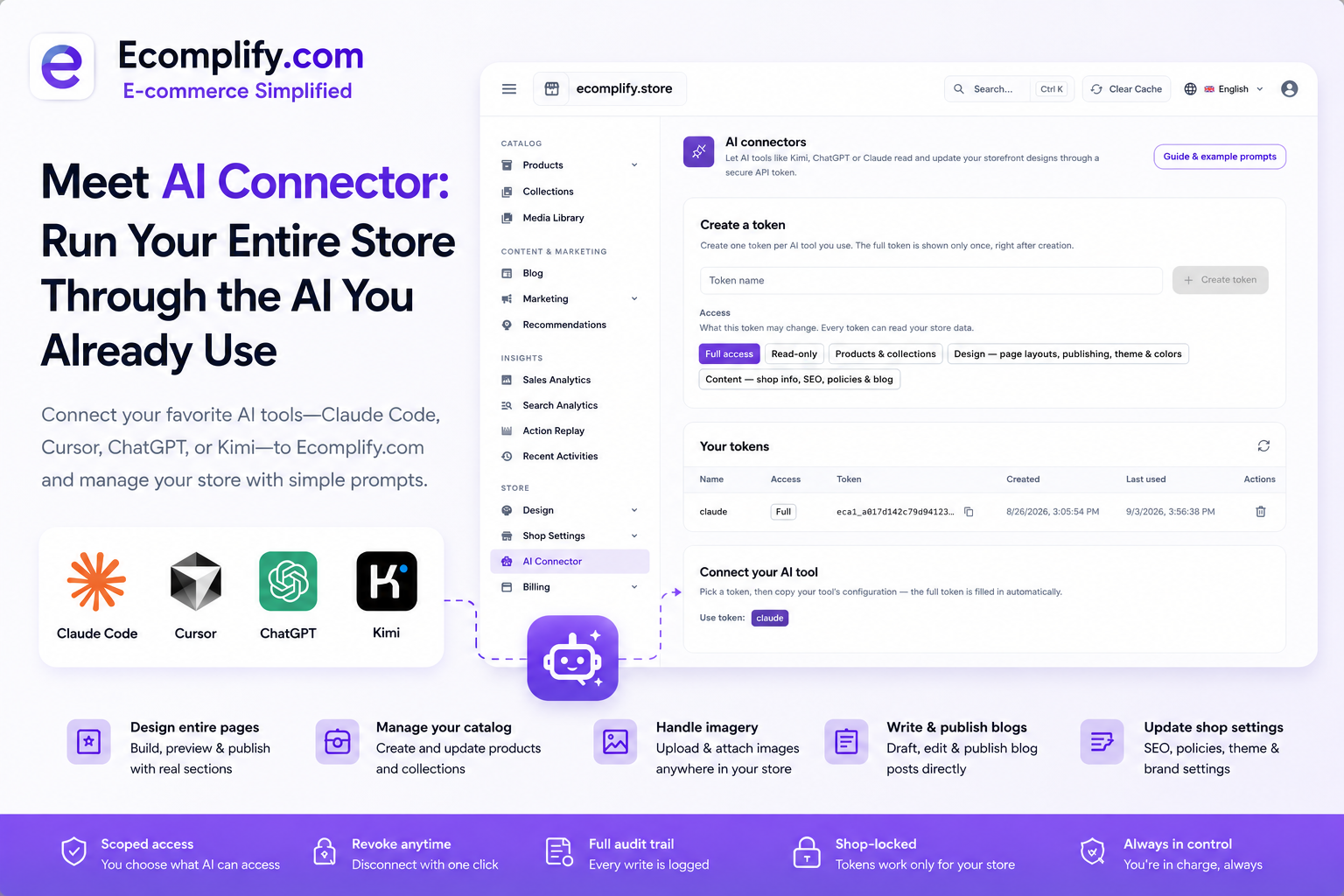
What AI Connector Actually Does
AI Connector links tools like Claude Code, Cursor, ChatGPT, or Kimi directly to your Ecomplify shop through a secure, revocable token. Once connected, your AI isn't just chatting about your store. It can act on it.
With the right access scope, a connected AI can:
- Design entire pages. It reads the full library of section types and design controls, edits layouts, and publishes changes straight to your live storefront.
- Manage your catalog. Create, update, or remove products and collections without you touching a form.
- Handle imagery. Upload photos to your media library and attach them to products, collections, blogs, or page sections.
- Write and publish blogs. Draft, edit, and manage blog content directly.
- Update shop settings. Adjust SEO, policies, theme selection, and brand-wide design tokens like colors and fonts.
Every action the AI takes runs through the same validation rules as your dashboard. Nothing bypasses your business logic, and layout changes are checked against the real section catalog before they go anywhere near your live store.
From Prompt to Published Storefront
Here's where it gets interesting. Describe the brand you want in plain language, and a connected AI can build it end to end.
Give it a brief: your brand name, tagline, target audience, the mood you're after, and a rough structure for your homepage. The AI reads your available sections and design options directly from the platform, applies the changes as drafts, and shows you a live preview before anything goes public. Say the word, and it publishes, complete with version history so you can roll back any change instantly.
This isn't a mockup generator. It's a real storefront builder. Announcement bars, hero sections, product rails bound to your actual catalog, editorial banners, testimonials, newsletter blocks, all assembled and published by the AI you're already working with.
Built for Control, Not Chaos
Handing an AI the keys to your storefront sounds risky until you see how the access is structured.
- Scoped tokens. Choose exactly what an AI can touch: full access, read-only for audits, or specific write permissions for products, design, or shop settings alone.
- Shop-locked by design. Tokens are tied to your store only. There's no shop identifier floating around in a URL for a token to leak into.
- Revoke anytime. Cut off access instantly from your dashboard, and the AI loses its connection on the next request.
- Full audit trail. Every write shows up in your activity feed, and every published layout change is versioned so you can undo it with one click.
- No arbitrary code execution. AI tools can't run freeform commands against your store. Every write passes through the same validated, whitelisted fields as a human using the dashboard.
You stay in control of what the AI can do and how far it can go, whether that's a quick content edit or a full storefront rebuild.
Why This Matters for Global Merchants
Building and iterating on a storefront for markets across Europe, Australia, and beyond usually means juggling multiple tools, freelancers, or in-house teams just to keep pages fresh and on-brand. AI Connector collapses that workflow into a conversation. Describe what you want, let the AI build it in drafts, review the preview, and publish when it's ready.
It's a shift in how modern commerce brands operate: less time managing tools, more time directing outcomes. Whether you're refreshing a seasonal campaign, rebranding a product line, or launching an entirely new storefront concept, AI Connector lets your AI do the heavy lifting while you make the calls that matter.
Get Started
AI Connector is live now in your Ecomplify dashboard. Head to Dashboard → AI Connector, create a token, choose your access scope, and connect the AI tool of your choice. The setup for Claude Code, Cursor, ChatGPT, or Kimi comes pre-filled with your token, ready to paste and go.
For the full technical walkthrough, including connection details, scopes, and a complete example brief, visit the AI Connector documentation. You can also explore everything else Ecomplify offers at ecomplify.com.
Your next storefront redesign might not start with a design brief for a team. It might start with a conversation.