
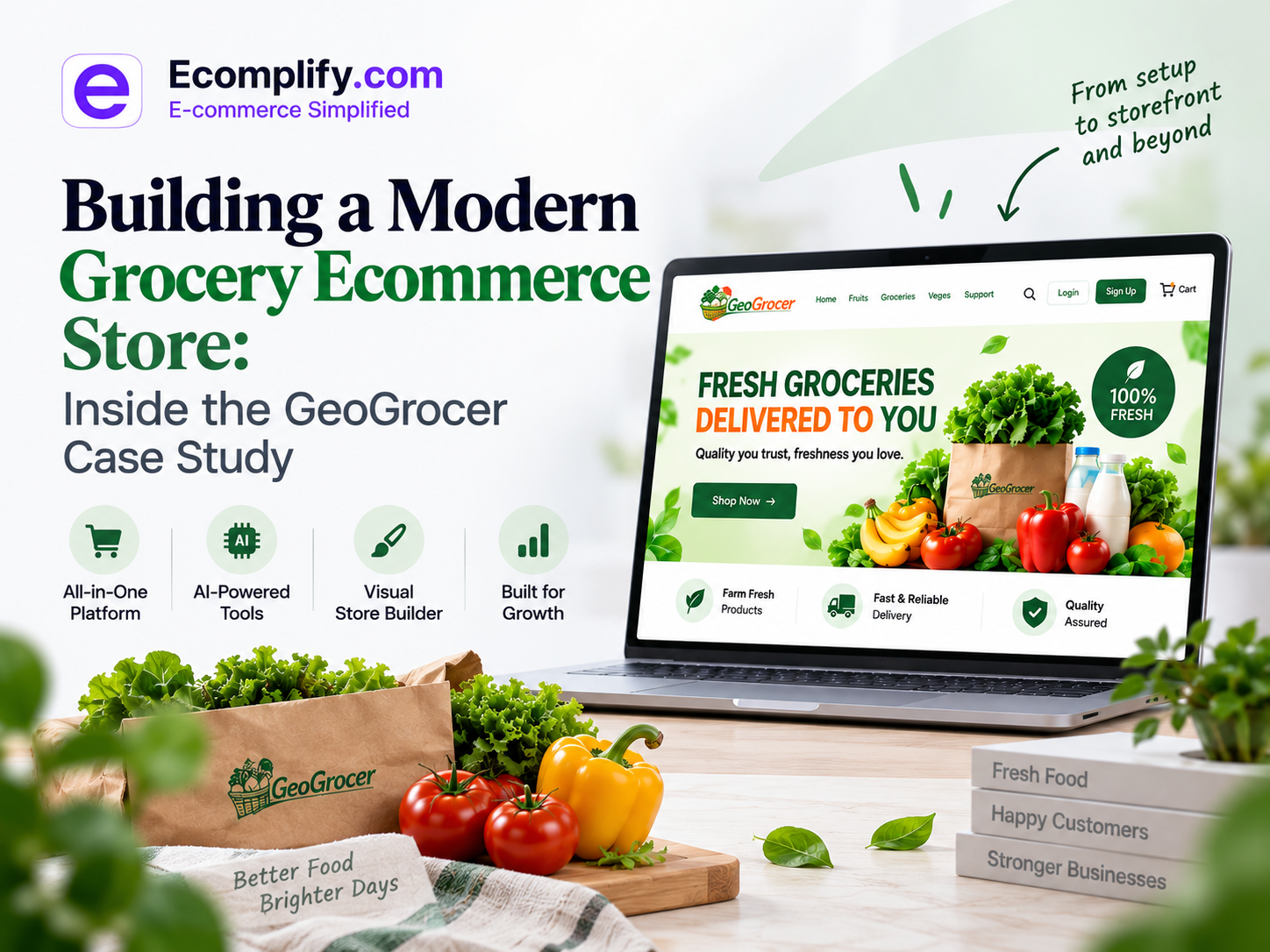
Where other platforms make you spend hours adjusting layouts then search for apps to add features your store needs. Next you wait for developers to make changes. Once done with setups, you worry about site speed. You discover that something that looked simple in the beginning has turned into a project.
Should it not be like this -> Choose a theme -> Add products -> Connect your domain. Launch.
Ecomplify is built around a similar but better approach.
To show what that looks like in practice, we created GeoGrocer.com, a complete grocery ecommerce storefront powered by Ecomplify.
It is how quickly you can go from an empty account to a functioning ecommerce store with AI-powered search, analytics, a custom storefront, product management, SEO tools, and production-ready infrastructure.
Let's walk through it.
From a Blank Account to a Storefront
Building an ecommerce store usually involves several separate decisions.
Which platform should you use?
Which theme should you buy?
Which apps do you need?
Who will customize the design?
How will you handle search?
How will you monitor customer behavior?
How will you optimize performance?
Ecomplify brings those pieces together so you can focus on the store itself instead of assembling the technology behind it.
For Ecomplify.com, the process followed four simple steps.
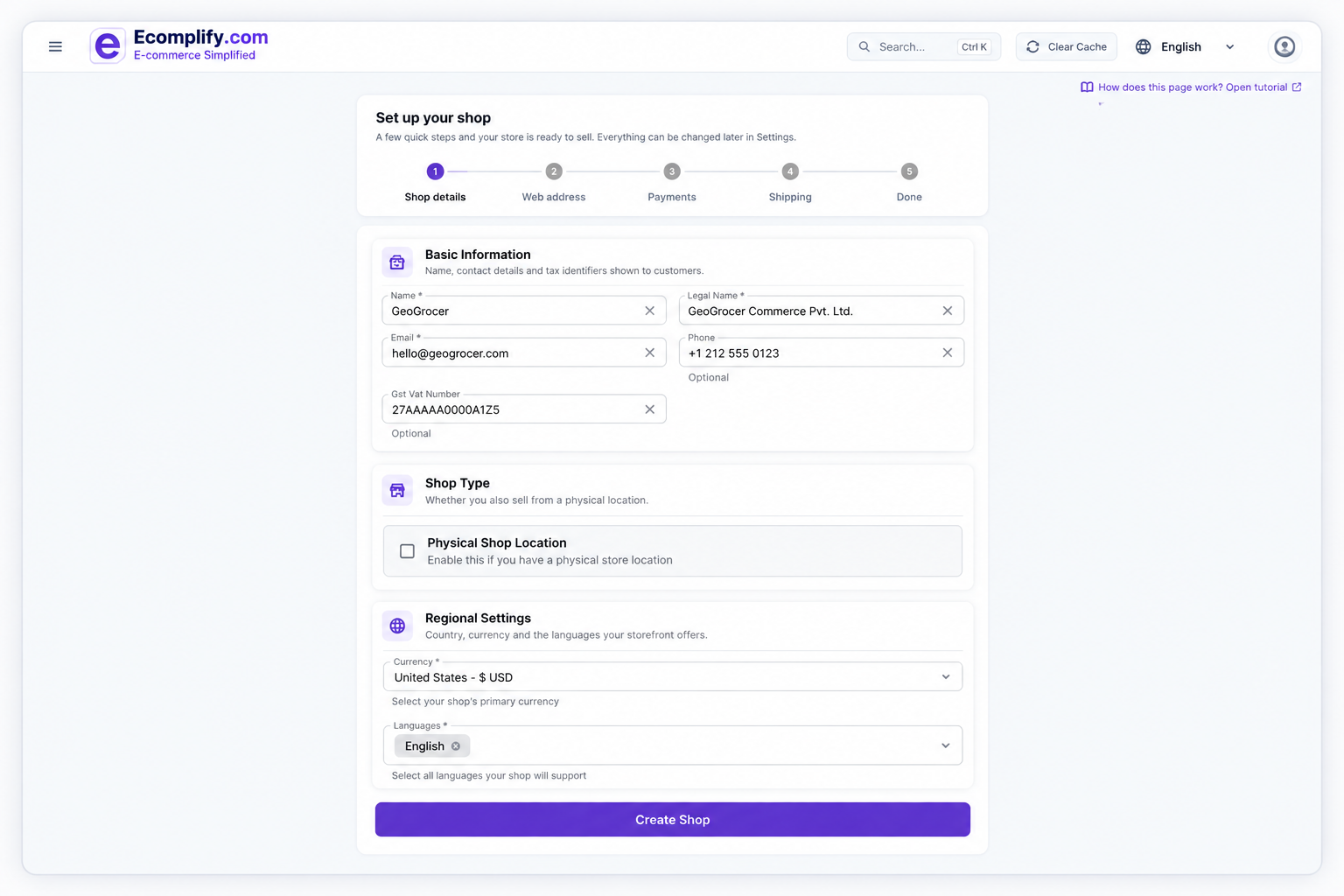
Step 1: Create Your Store
You start by creating an Ecomplify account.
All required plugins or apps are already built in and included in all plans, everything is built in to start at an elite level of brand online store, apart from this if you need anything that is not included meet with developers at no extra cost, included in all paid plans and one month free trial, where they can help you to design themes and design or upload/create inventory and assist you with knowledge base questions so no extra step required to get started.
Once inside the dashboard, you can configure the essentials of your store, including:
- Store name
- Contact information
- Currency
- Language
- Store settings
- Product catalog
- Storefront configuration
The goal is simple: get the foundation of your store ready without turning setup into a technical project.
From there, you move directly into designing the storefront.
Step 2: Start With a Theme or Generate Your Own
This is where Ecomplify takes a different approach.
You do not have to start with a completely blank page.
Ecomplify provides industry-ready storefront template themes across categories such as grocery, fashion, furniture, gaming, luxury, and more.
That gives you a professional starting point instead of forcing you to build every section from scratch.
But templates are only the beginning.
Build and customize with AI
With Ecomplify's AI store designer, you can describe the storefront you want and use AI to generate the design direction.
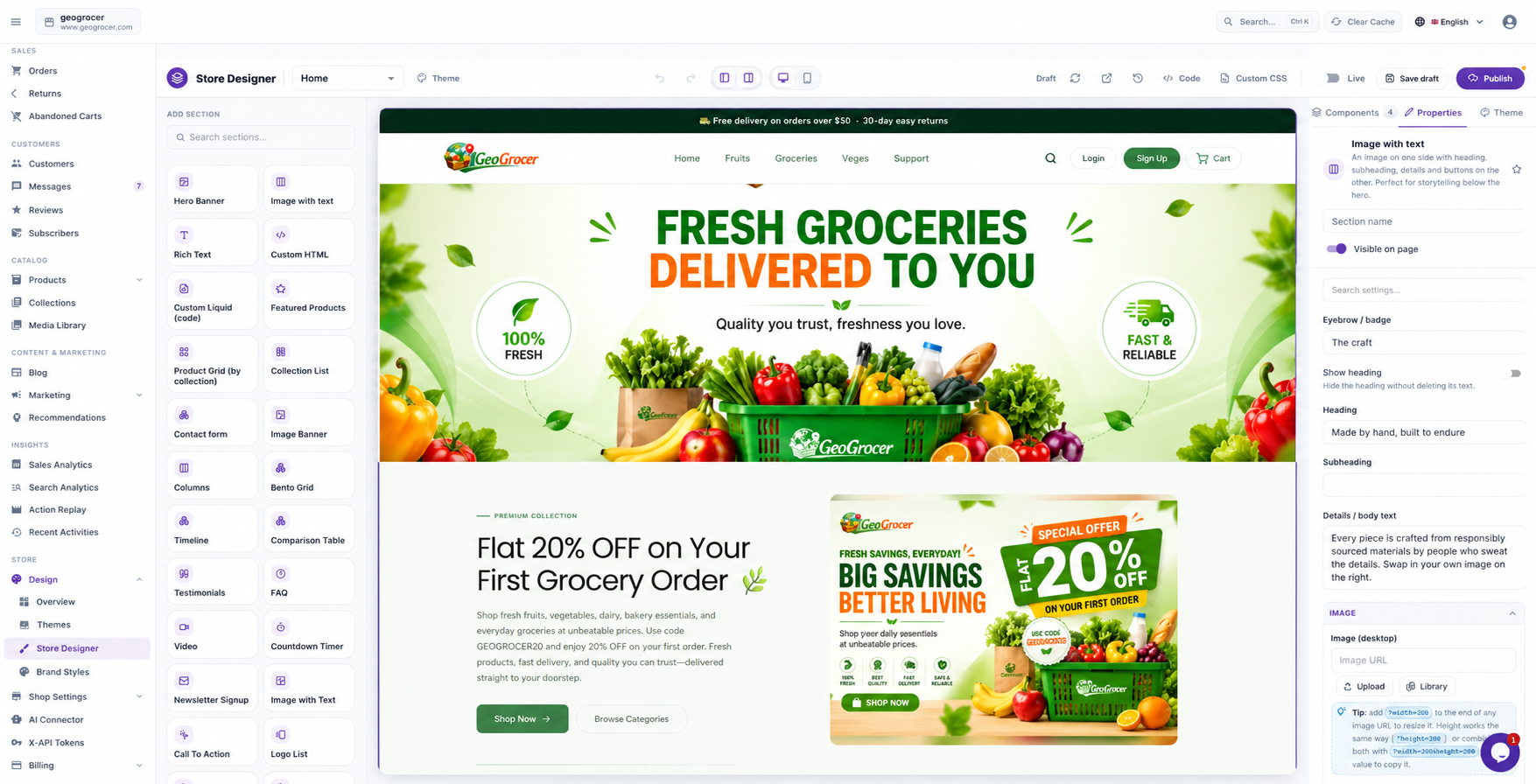
Describe the style, layout, and visual direction you want, then refine it.
You can continue customizing the result using Ecomplify's visual theme editor.
Add or rearrange:
- Hero sections
- Product grids
- Promotional sections
- Custom HTML blocks
- Banners
- Content sections
- Storefront components
No CSS required. No developer queue. No waiting for someone to finish another revision. But if you feel like a developer can handle it better, connect with the developer directly using chat assistant or email and book a calendar at your convenient time at no extra cost during the first time setup in trial period.
Step 3: Add Your Products
A beautiful storefront is not useful without products.
Ecomplify makes getting your catalog into the store straightforward with bulk product import.
Instead of manually creating products one at a time, you can import your catalog using CSV.
For a large catalog, that can save significant time.
But the more interesting part happens after the products are imported.
Your catalog can be AI-enriched for Ecomplify's AI-powered search experience.
Write Product description & SEO in Seconds
You can always write your product description yourself, but when you have dozens or hundreds of products, doing it one by one takes time. Ecomplify AI can generate a complete, customized product description in seconds using your product details, category, keywords, and your own prompts.
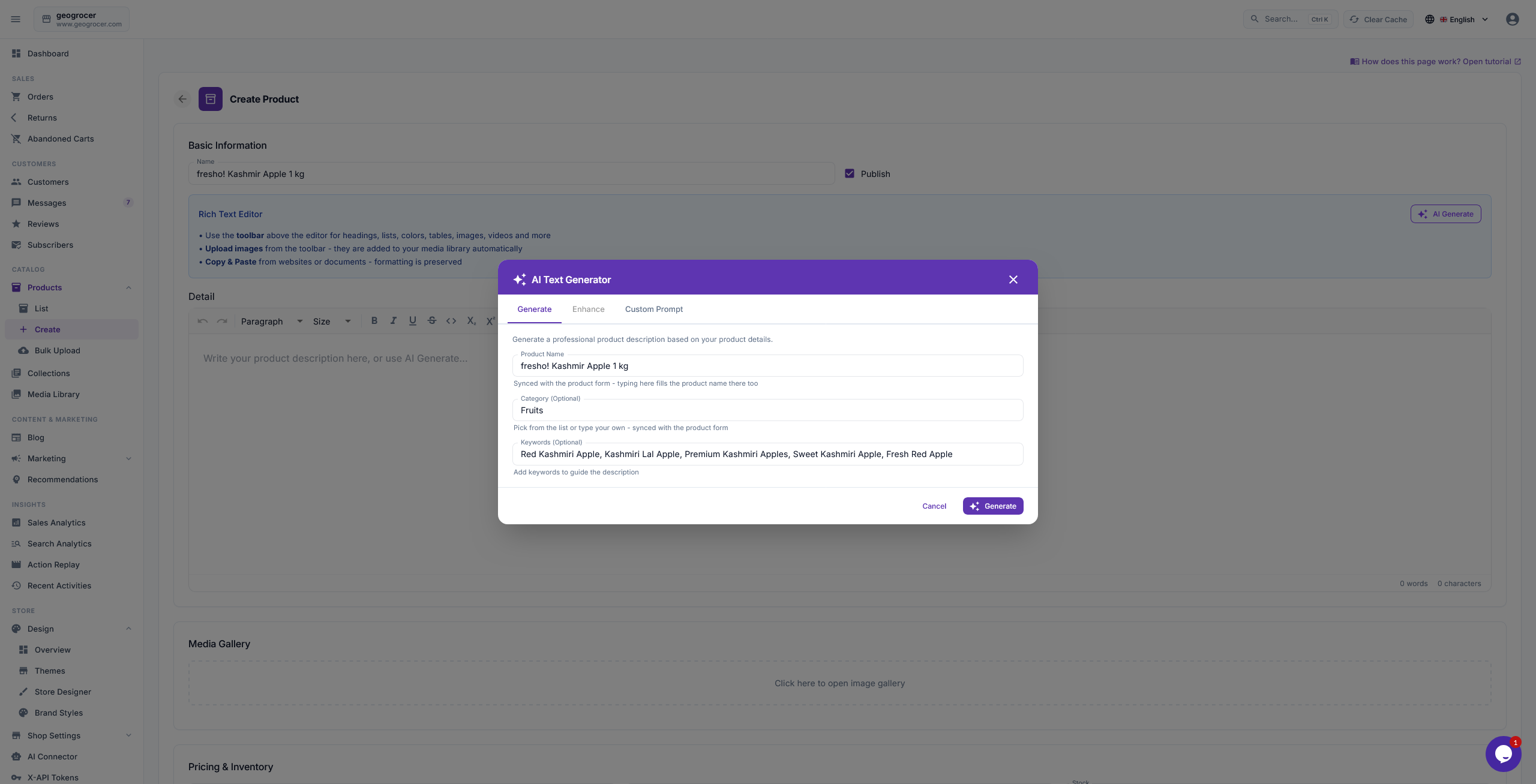
It can also generate SEO titles, descriptions, keywords, tags, and relevant collections in seconds. Review everything, make any edits you want, and apply it when you’re ready.
The same AI can generate SEO descriptions for your products, helping your store rank better in search without extra manual work.
That means customers can search for what they actually want instead of having to know the exact product name.
For example:
"fresh seasonal fruit"
"organic tomatoes"
"something for a quick breakfast"
The search experience is designed around customer intent, not just exact keyword matching.
And that becomes especially useful for stores with large or frequently changing catalogs.
Step 4: Launch
Once your products and storefront are ready, you can publish your store.
You can connect your own domain when you are ready or start with an Ecomplify subdomain.
Ecomplify handles the infrastructure behind the storefront, including automatic SSL and the platform's production infrastructure.
The same dashboard you use to build your store is also where you manage your ecommerce operation.
Orders.
Products.
Inventory.
Visitors.
Revenue.
Store settings.
And more.
You do not need to stitch together separate systems just to get your store operational.
How fast can you launch?
With a ready-made theme and a basic setup, you can get a store started and live in minutes.
If you want a more customized storefront, you can spend additional time refining the design with AI and the visual editor.
The important difference is that you decide how much time you want to spend on customization.
You are not forced to wait weeks just to get the first version of your store online.
GeoGrocer.com: See the Result Yourself
You do not have to take our word for what an Ecomplify storefront can look like.
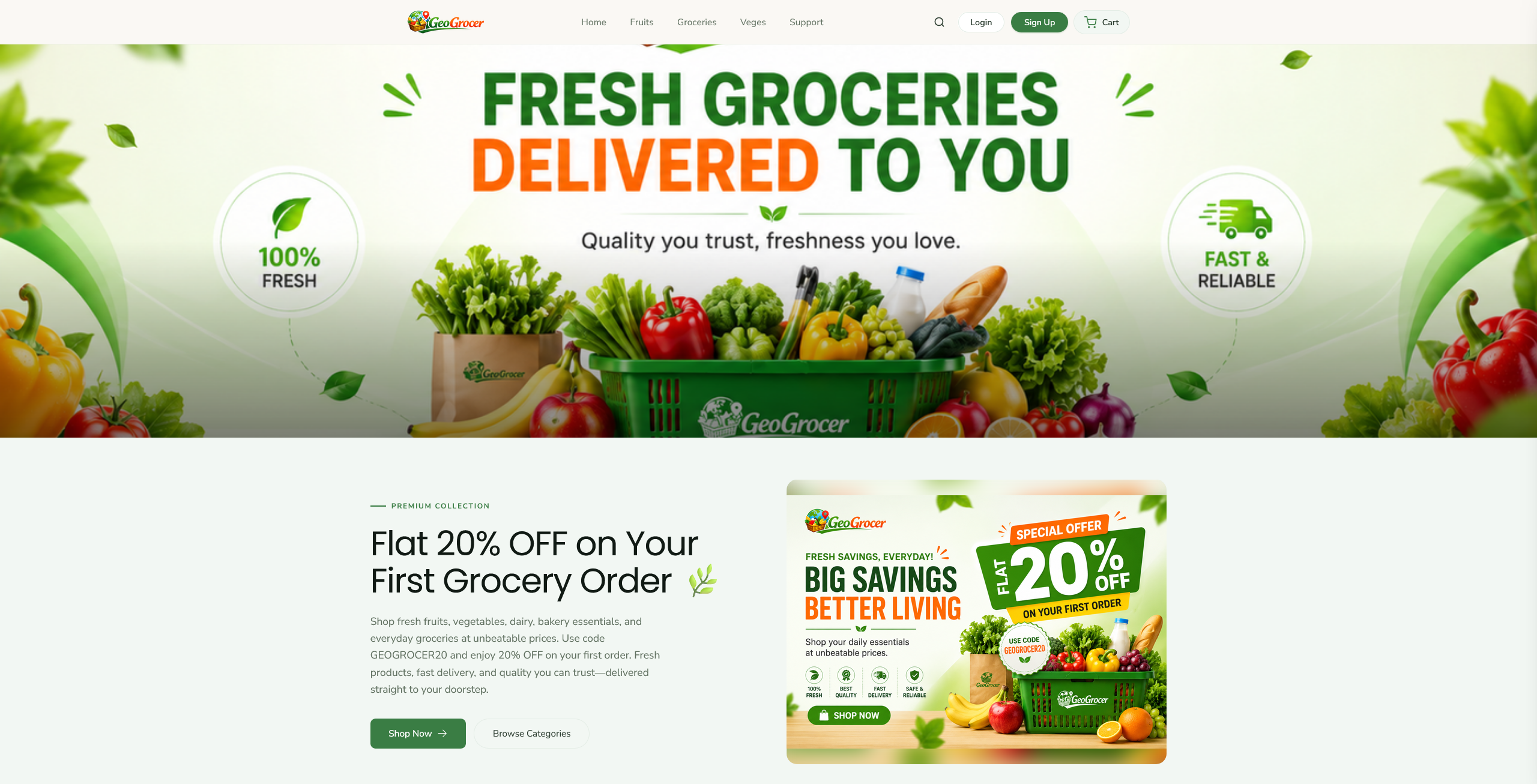
You can visit GeoGrocer.com and explore the live storefront yourself.
Look at the product pages.
Try the search.
Browse the collections.
Check the mobile experience.
The point of the store is not to show you a static design concept.
It is to show you what you can actually build and run on Ecomplify.
AI Search That Understands What Customers Mean
Search is one of the most important parts of an ecommerce store.
A customer does not always know the exact name of the product they want.
They might search for:
"fresh seasonal fruit"
Or:
"black party dress under $50"
Or:
"something for a quick breakfast"
Traditional keyword search can struggle when customers phrase their needs this way.
Ecomplify's Intelli AI Search is designed to understand those queries more naturally.
It combines several approaches to improve product discovery.
1. Understand the customer's intent
The system can interpret information such as categories, attributes, and budget from a natural-language search.
2. Understand product imagery
Product images can provide useful information that may not exist in the product title.
AI-powered visual understanding helps the search system use that information when ranking products.
3. Combine keyword and semantic search
Intelli AI Search combines traditional keyword search with semantic search and ranking techniques.
The result is a search experience designed to help customers discover relevant products even when they do not use the exact words from your product catalog.
And because this is built into Ecomplify, you do not need to build a separate search infrastructure from scratch.
Upload your products, and your catalog can become searchable without manually tagging every product.
Understand What Customers Actually Do on Your Store
Getting visitors is only half the job.
The next question is:
What are those visitors actually doing?
Analytics can tell you that a page has a high bounce rate.
But numbers alone do not always explain why.
Ecomplify's Action Replay gives you another layer of visibility through session replay.
You can understand how visitors interact with your storefront, where they scroll, what they engage with, and where they may leave.
For example, a customer might:
- Open a product page
- Scroll through the product information
- Look at shipping details
- Hesitate
- Leave without purchasing
That kind of behavior can reveal problems that a basic analytics dashboard may not make obvious.
Action Replay is also designed with privacy considerations in mind, including masking form inputs, blocking payment iframe capture, and automatically expiring sessions.
And Then We Tested the Store
A fast ecommerce store is not a luxury.
Customers expect pages to load quickly, and performance also affects the overall quality of the shopping experience.
So after building GeoGrocer.com, we checked its performance using Google PageSpeed Insights.
The mobile results were:
| Metric | GeoGrocer.com |
|---|---|
| Performance | 97/100 |
| Accessibility | 98/100 |
| Best Practices | 100/100 |
| SEO | 100/100 |
You can check the live result yourself using Google PageSpeed Insights.
The important point is not simply that one store achieved a high score.
Ecomplify's infrastructure is designed to provide the performance foundation for stores across different themes and categories, using CDN delivery, image transformation, and edge caching.
That means performance is part of the platform rather than another project you have to start after launching.
Built-In Features Instead of a Growing App Bill
There is another problem with the traditional ecommerce stack.
You start with a platform.
Then you need search.
Then reviews.
Then analytics.
Then abandoned cart recovery.
Then SEO tools.
Then product import tools.
Then something else.
Before long, your store depends on a collection of third-party applications, each with its own subscription, settings, and integration.
Ecomplify takes a different approach.
Features such as AI-powered search, session replay, SEO tooling, bulk product import, and other ecommerce capabilities are built into the platform rather than requiring you to assemble everything yourself.
That can simplify both your technology stack and your monthly operating costs.
Ecomplify also charges 0% platform transaction fees across its plans, including the free plan.
Your payment processor may still charge its own processing fees, but Ecomplify does not add a platform transaction fee on top.
What GeoGrocer.com Shows About Ecomplify
The real value of this case study is not that we built a grocery store.
It is what the process demonstrates.
Store design
Start with a professional industry template or generate a custom direction with AI, then refine it visually.
Product management
Import products in bulk instead of creating them one by one.
AI-powered search
Give customers a search experience built around intent, not just exact product names.
Customer insights
Understand how visitors interact with your storefront through Action Replay.
Performance
Start with production infrastructure designed around speed, CDN delivery, image optimization, and caching.
Ecommerce management
Manage products, orders, inventory, visitors, revenue, and store settings from one platform.
No developer required
You can build and customize the store yourself without needing to write CSS or wait for a developer for every design change.
Your Store Could Be Next
GeoGrocer.com is one example of what can be built with Ecomplify.
Your store does not have to look like GeoGrocer.com.
It should look like your brand.
Whether you are selling groceries, fashion, furniture, electronics, beauty products, gaming products, or something completely different, the same platform gives you the tools to build and operate your storefront.
Start with a template.
Generate a design with AI.
Import your products.
Customize everything you want.
Connect your domain.
Launch.
Then keep improving the store as your business grows.
You do not need to wait weeks to find out what your store could look like.
Build it yourself
Start building your store for free
Already have a store?
Get a free store audit and see where your current store can improve across performance, SEO, and conversion.
Want to see what the platform looks like before signing up?
And if you want to see the result first, visit GeoGrocer.com and explore the store yourself.