
Every store owner knows the Monday morning ritual. You open your dashboard, you look at the numbers, and the numbers look back without explaining themselves. Two hundred people visited the new collection. Eleven added something to the cart. Three actually checked out. The report is honest, but it is also silent. It tells you what happened and keeps the reason to itself.
That reason is where the money is. And until today, chasing it meant guessing.
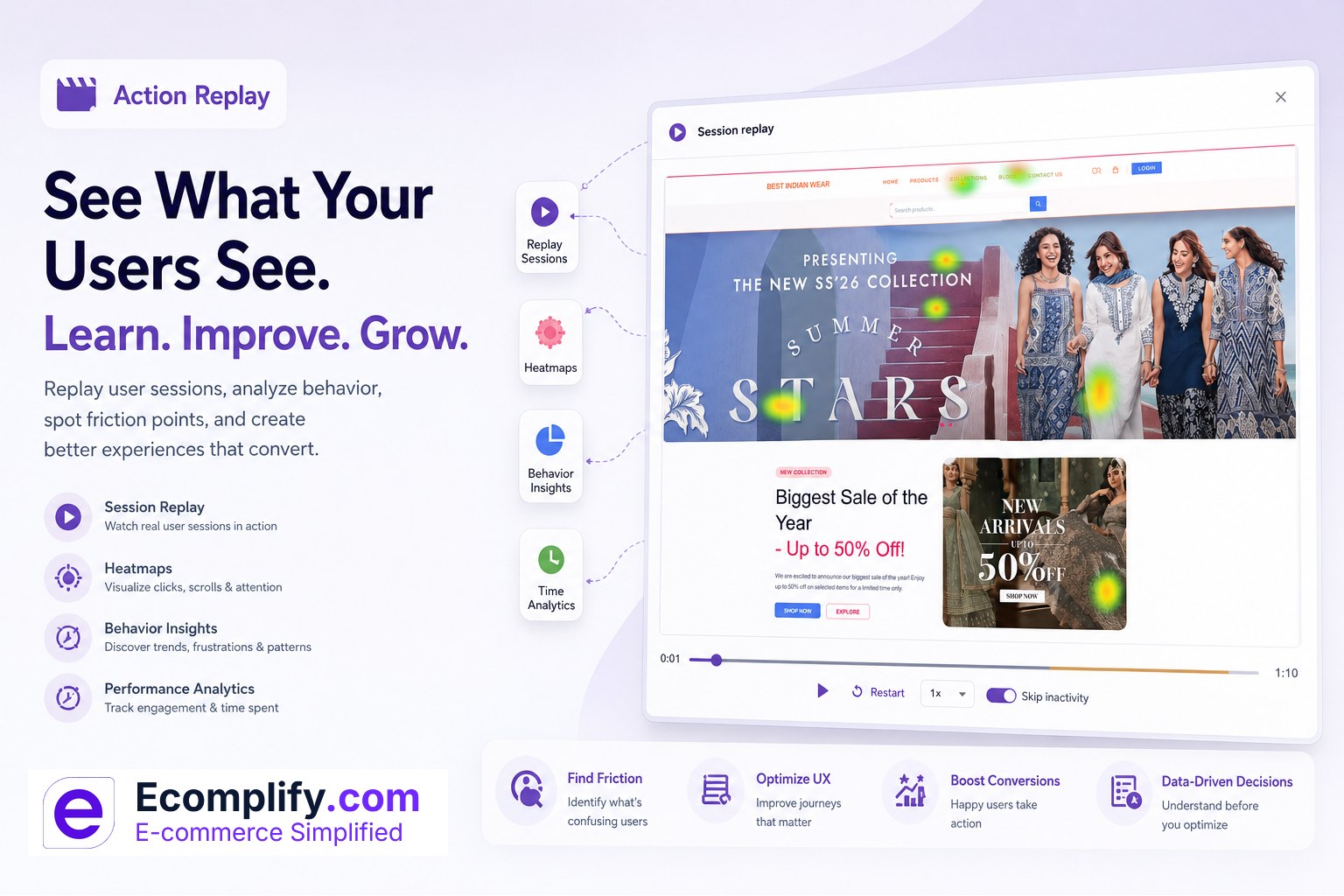
So we built Action Replay. It records real visitor sessions on your storefront and plays them back inside your dashboard, like a short film of someone actually shopping in your store. You watch the cursor drift, the scroll stall halfway down a product page, the three frustrated taps on something that looked like a button but was only a heading. You stop guessing why people leave, because now you can simply watch them leave, and then you can fix the exact thing that pushed them out.
Numbers tell you what. Replay tells you why.
A bounce rate is a headline with no story underneath it. It says people left. It does not say that your size chart opened in a broken pop-up, or that the "Add to cart" button sat just below the fold on the most common phone, or that a coupon field threw a silent error and the shopper gave up after two tries.
Action Replay gives you the story. Instead of reading that a page "underperforms," you sit and watch five real people meet that page, and within a few minutes the problem usually announces itself. One session is a data point. Three sessions in a row doing the same confused thing is a to-do list.
This is the difference between managing a store by dashboard and managing it by observation. Great physical shopkeepers have always watched their floor. They notice where people pause, where they double back, where they put something down and walk out. Action Replay gives your online store that same pair of eyes.
It records the real page, not a screen video
Under the hood, Action Replay does not film a heavy video of the screen. It captures the structure of the page and every change to it as the visitor moves through your store. When you press play, it rebuilds the actual page and replays those changes in order.
That choice matters more than it sounds. Because it is rebuilding the real page rather than streaming a video file, playback stays sharp at any size, loads quickly, and shows you precisely what the visitor saw, down to the hover states and the way a menu slid open. You get the fidelity of being there without the weight of a screen recording.
It captures the moments that reveal intent: how the mouse travels, where the page is scrolled and how fast, which elements are clicked, when a new page loads, and how someone works their way through a form. Put together, a session stops being a row in a table and becomes a person with a goal, a little bit of patience, and a decision to make.
Built to respect the people you are recording
Watching real sessions comes with a real responsibility, and we designed for it from the first line of code.
Anything a visitor types into a form is masked before it ever leaves their browser. Names, addresses, messages, and especially anything sensitive are turned into blanks on the recording, so you can see the shape of the interaction without ever seeing private content. Payment fields and other sensitive frames are blocked outright and never captured. Passwords and card numbers simply do not exist in the data.
These protections are on by default and they are not a setting you can accidentally switch off. On top of that, Action Replay honors a visitor's "Do Not Track" preference and supports a clean opt out, so people who do not want to be recorded are not recorded. The goal is simple. You get to understand behavior. Your customers keep their privacy. Both things are true at the same time.
Long sessions that used to choke now play instantly
Here is a small confession and a fix we are proud of.
Rich sessions produce a lot of detail, and a curious shopper who browses for ten minutes across a dozen pages creates a big recording. In an earlier version, those large sessions could sit and spin while the whole thing tried to load at once. The very sessions most worth watching, the long and involved ones, were the ones that made you wait.
We rebuilt the player to stream. A recording now loads in pieces, in order, and playback begins almost immediately while the rest keeps arriving quietly in the background. A tiny "buffered" indicator shows how much is ready. Scrub ahead and the player fetches what it needs to get you there. The result is that even a long, meandering session opens right away and plays smoothly from start to finish. No more staring at a loading spinner wondering if it will ever come.
Skip the boring parts automatically
People are not busy every second they are on your site. They read. They switch tabs. They get up to make tea and come back. Those quiet stretches are not interesting, and you should not have to sit through them.
Action Replay has a Skip inactivity control that fast forwards the dead air and drops you back in the moment something actually happens. Idle stretches are marked right on the timeline, so you can see at a glance where the real activity lives. Turn it off when you want the full, unedited session. Leave it on when you want to review ten sessions before your coffee gets cold.
Controls that feel like a video player, because they are
There is nothing to learn here. Press play and pause. Drag the timeline to jump to any moment. Restart from the top. And when you want to move faster, step the speed up to two, four, or eight times. Reviewing behavior should feel as natural as scrubbing through a clip, and it does.
Find the sessions worth watching
Your recordings live under the Action Replay menu, newest first. Each row is a quick summary of a real visit: when it started, the device the person used, whether it was desktop, mobile, or a tablet, how long they stayed, how many pages they moved through, and the page they arrived on. The list is now paged, so you move through it calmly a screen at a time instead of scrolling into an endless wall of rows. You can pick a page size that suits you and step forward and back with a single click.
That summary is how you triage. A three second visit that bounced is one kind of story. A seven minute session across nine pages that still did not buy is a very different one, and usually the more valuable to watch.
What you will actually catch
Once you start watching, patterns jump out fast. A few of the things stores commonly find in their first sitting:
- Rage clicks. Someone taps the same spot again and again because they expect it to do something and it does not. That is a broken expectation you can fix in an afternoon.
- A layout that breaks on real phones. The desktop looks perfect. The most common phone pushes your main button off screen. You would never feel this in a preview, but you cannot miss it in a replay.
- A checkout step that confuses. A field people keep re-editing, an error that appears without explanation, a shipping choice that makes them pause and leave.
- Search and filters that dead end. A filter combination that returns nothing, sending an interested buyer straight back out the door.
- The quiet drop off. The exact scroll depth or the exact step where interest turns into an exit, over and over, until the fix becomes obvious.
None of these show up cleanly in a chart. All of them are plain as day on a replay.
Turn it on, tune it, or dial it down
Action Replay is on by default, so you have recordings waiting the first time you open it. From the settings you can choose how much to capture, from every single session down to a small sample when your traffic is high and you only want a representative slice. You can pause recording entirely whenever you like. And recordings do not pile up forever. They are kept for a rolling window of thirty days and then removed automatically, which keeps things tidy and keeps the data footprint light.
Included, like everything else we ship
There is no add on to buy, no separate app to install, no script to paste into your theme, and nothing to configure. Action Replay is already part of your store. Open the menu, pick a session, and press play.
The best stores are not built by staring harder at the same numbers. They are built by watching real people, noticing what trips them up, fixing it, and watching again. Action Replay hands you that loop, right where you already work.
- Log in and open the Action Replay menu to watch your first sessions
- New here? Start your free trial, no credit card required
Your visitors have been telling you exactly what to fix all along. Now you can finally watch them say it.